
 Open a live menu and ask the AI waiter anything
 See how tamr works, from menu to first question
Group ordering
Group ordering from your QR menu. One order for the whole table.
Group ordering lets the whole table build one order together from your QR menu, each person on their own phone. We call the list My table. tamr suggests dishes that fit what is already on it, under “Goes well with your table”, and the table shows the list to your server to order.

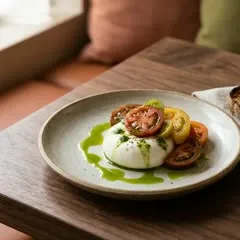
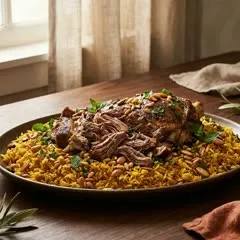
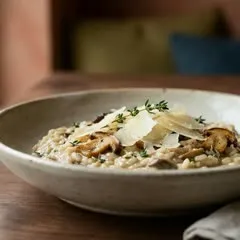

Under the list, tamr shows up to three dishes under “Goes well with your table”. They come from parts of your menu the table has not touched yet, one of each kind: a drink, a side, a dessert. These are simple fixed rules, not guesses by AI, and you can switch them off.
A drink when there is none
This table has a mezze and two mains, so the first suggestion is a drink. Once they add it, only the dessert is left.
Chef's picks are preferred
Dishes you mark as chef's picks come up ahead of others of the same kind. Sold out dishes never show.
No hard sell
Dishes that cost much more than the table's average go to the back of the line.

Each menu has three switches for My table: the list itself, its prices and running total, and the suggestions. Some restaurants want the whole list, some want it without a total climbing in front of the customer, and some want none of it, because they prefer their staff to take every order by talking.
List on or off
Off removes the add buttons and the list from your menu. Your customers still read and ask.
Prices on or off
Off keeps the list to dish names and quantities. Prices still show on the menu itself.
Suggestions on or off
Off hides the “Goes well with your table” row.
With group ordering, the whole table builds one order together, each person on their own phone. When it is ready, they show My table to your server, who takes the order as usual. To send orders straight into your POS, we connect your POS. tamr takes no payments, so your bills stay where they are.
- Each person adds their dishes on their own phone.
- My table shows one list for the whole table, grouped by person.
- When your server comes by, the table shows the list and orders.
Can customers order and pay through tamr?
They can order together. With group ordering, the whole table builds one order in My table on their own phones and shows it to your server to order. To send orders straight into your POS, we connect your POS. tamr takes no payments, so your bills stay on your POS.
How does the whole table join one list?
One person opens My table and taps Share with your table. tamr makes a link, and they send it to the people at the table. Everyone who opens that link joins the same list on their own phone, with no app and no account. Each person adds their own dishes, and everyone sees the whole table's list and total.
Can other people at the table see my allergies?
No. A shared list only shows the dishes and how many of each. The other phones never receive a person's allergies, diet or saved preferences. Each person can change only their own picks. If someone leaves the shared list, their own picks stay on their phone.
How does tamr choose the dishes under “Goes well with your table”?
With fixed rules, not AI. tamr looks at the parts of your menu the table has not touched yet and suggests up to three dishes, one of each kind: a drink if there is none, a side for the mains, then a dessert. Chef's picks are preferred, sold out dishes never show, and much pricier dishes go to the back.
Can I turn My table off or hide the prices?
Yes. Each menu has three switches. The first turns the list on or off, and off removes the add buttons and the list. The second shows or hides prices and the running total, so the list can be names and quantities only. The third turns the “Goes well with your table” suggestions on or off.
How long does a shared list last?
A shared list stays open while the table is using it. It closes after three hours with no activity and never lasts more than twelve hours, so a list from lunch is not still open at dinner. When it closes, each person keeps their own picks on their phone and can share a new list.
Upload your menu, add your logo, and your customers can start asking tonight. Free to start, no card.