For restaurants
Menu translation for restaurants your menu, in your customers' languages
This page is about menu translation from the restaurant's side: putting your own menu into the languages your customers read. It covers which dish names to keep, how to spell them, allergens and right-to-left layout, and how tamr translates a menu for you. If you are a traveller trying to read a menu with your camera, this is not that tool.

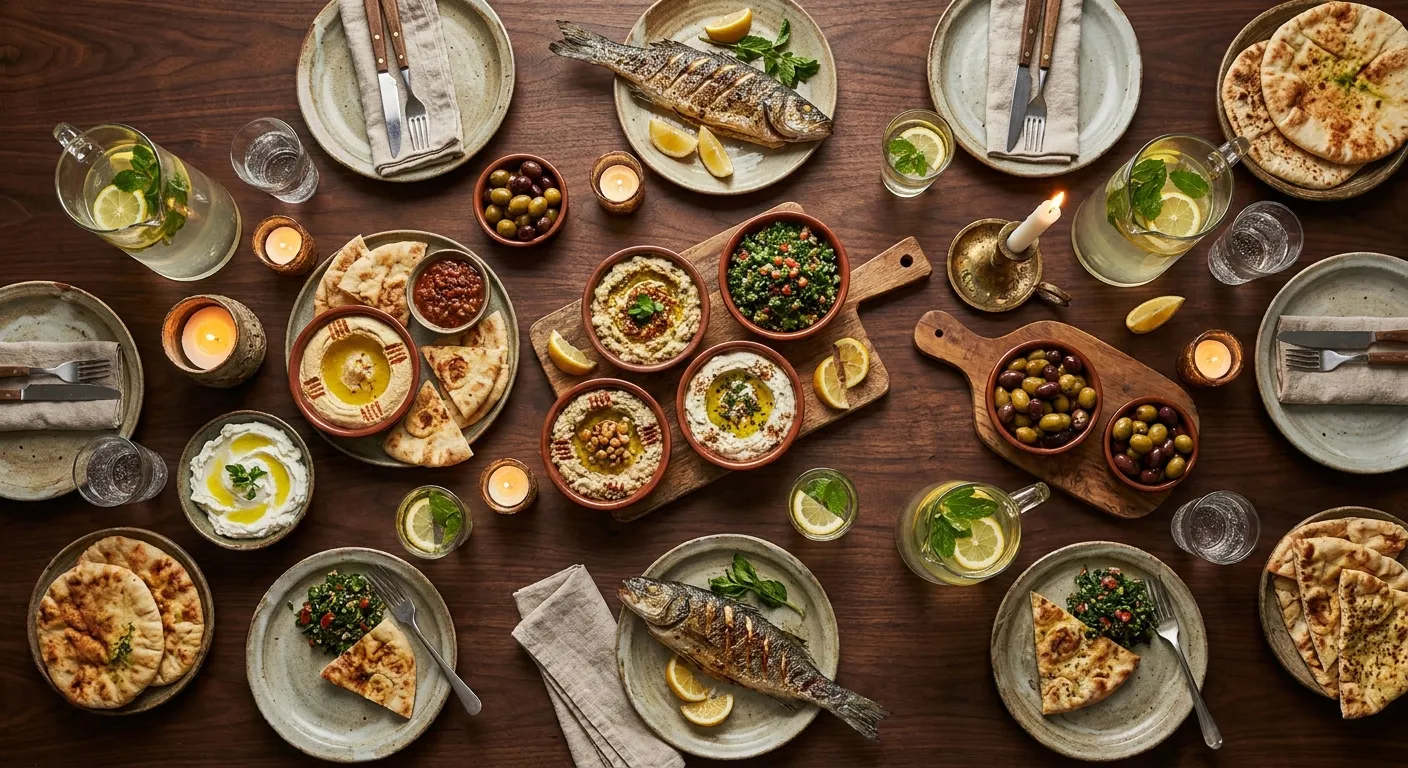
To translate a restaurant menu well, keep the name of every named dish, translate the description under it, use one spelling for each name, and mark allergens as tags instead of leaving them inside a sentence. Then have a native speaker read it on a phone. Most bad menu translations come from translating the names word for word.
With tamr you write the menu once, pick the languages, and the menu is translated for you on Pro. The AI waiter answers in each customer's own language on every plan. See the digital menu
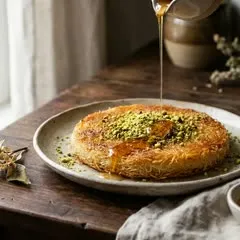
Keep the name of a named dish and translate what describes it. Hummus, knafeh and carbonara are names, and your customer may already know them. “Grilled chicken” is a description, so it changes with the language. The table below covers the five cases you will meet on almost every menu.
A named dish
Hummus, tabbouleh, knafeh, carbonara, paella
Keep the name
Write it in the reader's alphabet and add one line that says what it is.
A name that describes the dish
Grilled chicken, lentil soup, mixed salad
Translate it
There is nothing to protect. Use the words a local menu would use.
Your own signature name
Ember Burger, Teta's Fattoush
Keep it as written
It is part of your brand. Explain the dish in the description.
A name with several spellings
Knafeh, kunafa, kanafeh. Taouk, tawook
Pick one and keep it
Use the same spelling on the menu, the board and your Instagram.
An ingredient with a local name
Coriander or cilantro, aubergine or eggplant
Use the reader's word
Choose by who reads the menu, and stay with it on every dish.
A good menu translation keeps the dish's name and explains it in one plain sentence. A bad one translates every word in order. Arayes is the clearest example: in Arabic the word also means “brides”, so a word for word translation puts “Brides, $9” on your English menu.
One sentence, three facts
Say what it is, the main ingredient and how it is cooked: grilled pita, spiced lamb. That answers most questions before they are asked.
Write for someone who has never eaten it
A customer who knows arayes skips the line. The one who does not is the reason you translated the menu.
Keep the price and the tags the same
Only the words change between languages. The price, the photo and the allergen tags belong to the dish.
On your Arabic menu
عرايس
خبز مشوي محشو باللحم المفروم المتبّل
Word for word
Brides
$9
Bread grilled stuffed with the meat chopped seasoned
The name means nothing to the reader, the sentence follows Arabic word order, and nobody learns that the bread is pita or that the meat is lamb.
Name kept, dish explained
Arayes
$9
Grilled pita filled with spiced minced lamb.
Many dish names are sayings, jokes or family names, and they stop making sense the moment each word is translated. These six are real, from Arabic, French, Italian and Spanish menus. In every case the fix is the same: keep the name and add the dish.
From Arabic
Arayes
- Word for word
- Brides
- Write this
- Arayes: grilled pita filled with spiced minced lamb
From Arabic
Batata harra
- Word for word
- Hot potato
- Write this
- Batata harra: fried potato cubes with garlic, chilli and coriander
From Arabic
Umm Ali
- Word for word
- Ali's mother
- Write this
- Umm Ali: warm bread pudding with milk, nuts and raisins
From French
Pain perdu
- Word for word
- Lost bread
- Write this
- Pain perdu: French toast, pan-fried in butter
From Italian
Saltimbocca
- Word for word
- Jumps in the mouth
- Write this
- Saltimbocca: veal with prosciutto and sage
From Spanish
Ropa vieja
- Word for word
- Old clothes
- Write this
- Ropa vieja: shredded beef stewed with tomato and peppers
When a dish name moves from Arabic into Latin letters, or the other way, there is no single correct spelling, so choose one and never change it. Knafeh, kunafa and kanafeh are all the same dessert. A customer who sees two spellings assumes two dishes, and so does a search engine.
Spell it the way your customers search
Look at how people near you write it on maps and delivery apps, and use that. In Beirut it is usually knafeh, in the Gulf more often kunafa.
Skip the special marks
Write tabbouleh, not tabbūlah. Accents and dots that scholars use make a name harder to read and to type.
Foreign dishes into Arabic
Burger, pizza and risotto are written by sound in Arabic: برغر, بيتزا, ريزوتو. Do not swap them for an Arabic description.
One dish, one spelling
All of these are in use. Pick one for each dish.
كنافة
- Knafeh
- Kunafa
- Kanafeh
شيش طاووق
- Shish Taouk
- Shish Tawook
- Chich Taouk
تبولة
- Tabbouleh
- Tabouli
- Tabbouli
An allergen has to be marked the same way in every language, and it should not live only inside a translated sentence. Use a fixed list of allergen tags on each dish and show the tag's name in the reader's language. Check “nuts” twice: tree nuts and peanuts are separate allergens, and several languages use different words for them.
| English | French | Spanish | Arabic |
|---|---|---|---|
| Gluten | Gluten | Gluten | الغلوتين |
| Dairy | Lait | Lácteos | الألبان |
| Egg | Œuf | Huevo | البيض |
| Nuts | Fruits à coque | Frutos secos | المكسرات |
| Peanut | Arachide | Cacahuete | الفول السوداني |
| Sesame | Sésame | Sésamo | السمسم |
| Soy | Soja | Soja | الصويا |
| Fish | Poisson | Pescado | السمك |
| Mustard | Moutarde | Mostaza | الخردل |
These are the labels tamr shows on a dish. “Nuts” and “peanut” are two different allergens in every language: French keeps them apart as fruits à coque and arachide.
Rules differ by country, so check the list that applies where you serve. The European Union names 14 allergens that a restaurant must be able to tell customers about, including celery, lupin, molluscs and sulphites. The United States names 9 major allergens, and sesame became the ninth on 1 January 2023.
tamr has ten allergen tags: gluten, dairy, egg, nuts, peanut, sesame, soy, fish, shellfish and mustard. If your country's list is longer, write the extra ones, such as celery, in the dish description as well.
Whatever the language, the last word belongs to your staff. A menu can say what a dish lists. Only your kitchen knows what touched it today.
Allergens on a digital menuArabic, Hebrew, Persian and Urdu are read from right to left, and a menu in those languages has to mirror as a whole. The text starts at the right edge, the photo and the button swap sides, and lists and arrows point the other way. Numbers are the exception: a price still reads left to right.
Flipping the text is not enough
Right-aligned Arabic inside a left-to-right layout leaves the photo, the price and the buttons on the wrong side.
Watch mixed lines
A line with an Arabic name, a Latin brand and a price can reorder itself. Keep the price in its own place, not inside the sentence.
On tamr it mirrors by itself
When a customer picks Arabic, the whole menu and the chat with the AI waiter lay out right to left.
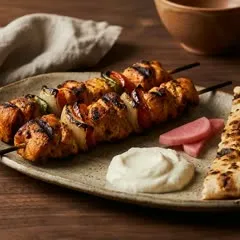
The mistakes that make a translated menu worse than no translation. Each one is cheap to avoid if you decide it once, before you translate anything.
Translating the name of a named dish
Fattoush, saltimbocca and paella are names. Keep them, and put the explanation in the line underneath.
Two spellings of one dish
Knafeh on the menu and kunafa on the board reads as two desserts. Pick one spelling and use it everywhere.
Allergens only inside the description
A translated sentence can lose a word. Mark each allergen as a tag on the dish, so it never depends on the sentence.
Translating once and forgetting it
You change a price or a recipe in one language and the others go stale. Every edit has to reach every language.
A separate PDF for each language
Three PDFs means three files to fix for one new dish. Keep one menu and let the reader switch language on it.
Nobody reads it before it goes live
Ask one native speaker to read the menu on a phone, top to bottom. Ten minutes finds what no tool does.
On Pro, you write your menu in one language and choose the languages to add from a list you can search. tamr translates your section names, dish names and descriptions. It is told your restaurant's name and cuisine, so it keeps the usual terms and leaves proper names alone. Your customers pick their language from a switch at the top of the menu.
It follows your edits
Change a dish and its translation is redone. Dishes you did not touch keep the translation they had.
You check it like a customer
Open your menu, switch language and read it. To change a line, change the text you wrote and the translation follows.
The choice is remembered
A customer who picked French sees French on the next visit, and on your other menus too.
A translated menu covers the languages you chose. The AI waiter covers the rest: it replies in the language and the script each customer writes in, from the same menu, on every plan. A customer who writes in German gets German back, and Lebanese Arabic typed in Latin letters gets the same.
No list to set up
You do not pick languages for the AI waiter. It follows the customer, one message at a time.
Lebanese or formal Arabic
You choose which Arabic it uses, so it sounds like your room.
The AI waiter answers each customer in their own language on every plan, the free one included. Adding languages to the menu itself is part of Pro, at $100 per location a month.
See full pricingFree
$0
at every location, no card
- Your menu in the language you wrote it in
- The AI waiter replies in any language
- Allergen and diet tags on every dish
Pro
$100
per location a month, or $1,000 a year
- Your menu in the languages you pick
- Translations follow every edit
- The owner's dashboard, with what customers asked
How do I translate my restaurant menu?
Write the menu well in one language first. Keep the names of named dishes, such as hummus, knafeh or carbonara, and translate the description under each one. Use one spelling for every name, mark allergens with tags and not only in the text, then ask a native speaker to read the result on a phone before you publish.
Should dish names be translated?
Mostly no. A named dish keeps its name in every language, written in the reader's alphabet, with a short description that says what it is. Translate names that only describe the dish, such as grilled chicken or lentil soup. A word for word translation of a named dish, like arayes turned into “brides”, tells your customer nothing.
Does tamr translate my menu for me?
Yes, on Pro. You write your menu in one language and pick the languages to add from a list you can search. tamr translates your section names, dish names and descriptions, and it is told your restaurant and cuisine so it keeps the usual terms and proper names. Your customers choose their language from a switch at the top of the menu.
Can I check and change a translation?
Yes. Open your menu, switch language and read it the way your customers will. Each translation is made from the text you wrote, so to change how a line reads, change the dish name or description in your own language and the translation is redone. A dish you did not touch keeps the translation it had.
Is menu translation free on tamr?
The AI waiter replies in the language and script each customer writes in on every plan, the free plan included. Adding languages to the menu itself is part of Pro, which is $100 per location a month. On the free plan your menu is served in the one language you wrote it in.
Does an Arabic menu read right to left?
Yes. When a customer picks Arabic, the whole menu and the chat with the AI waiter are laid out right to left: the text, the photos, the buttons and the panels all mirror. The same happens for Hebrew, Persian and Urdu. Prices and numbers still read left to right, as they do in print.
Can tamr translate a photo of a menu?
For a restaurant, yes: upload photos of your printed menu, tamr builds the digital menu from them, and you can then add languages. If you are a customer looking at a menu you cannot read, this page is not the tool for that. In a restaurant that uses tamr, open the menu from the code and ask the AI waiter in your own language.
How are allergens handled in other languages?
On tamr, allergens are tags you set once on each dish, so they do not depend on how a description was translated. The AI waiter answers allergy questions from those tags in the customer's own language and always asks them to confirm with your staff. Tag labels are shown in English, Arabic, French, Spanish and Japanese, and in English for other languages.
Upload your menu as a PDF or a photo, or import it from a link. Your customers can ask the AI waiter in their own language the same day, free.