Service
The restaurant staff tablet app for a full Friday. Floor, arrivals and orders on one screen.
Service is tamr's front of house app for the tablet at your host stand. Your hosts and the manager on shift see the floor plan, who is arriving, what each table is asking and every order, on the same data as your dashboard.

Arrivals splits today's bookings into arriving soon, in now and later today, with the table and notes like VIP or an allergy on every card. One tap seats the party, and a booking made online is already on the list.
Late parties show the minutes
Seat from the plan
Tap the party, then the table.
A handover for the next shift
No-shows, what ran out and what tomorrow holds.
Orders from My table land in New with the table number and every dish, then move to In the kitchen and Done. The screen shows the oldest wait and how fast your team accepts, and the customer's phone says Got it the moment you do.
Pause new orders for 30 minutes
Can't make a dish? Say why
The customer sees your reason on their phone.
They sit along the bottom, sized for a finger. Your location, the clock and Ask Tamr AI sit along the top.
Floor
Your drawn plan, each table available, booked later, reserved soon, seated or ordered.
Arrivals
Arriving soon, in now and later today.
Live chats
What each table is asking the AI waiter, with the table number.
Bookings
The book for any day, requests, the waitlist and walk-ins.
Orders
New, in the kitchen and done, with a chime for each new one.
Sold out
Take a dish off the menu until a time you pick, or ask Tamr AI to.
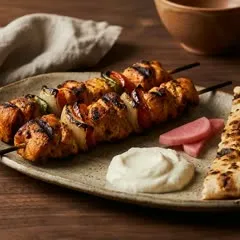
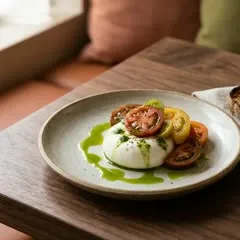
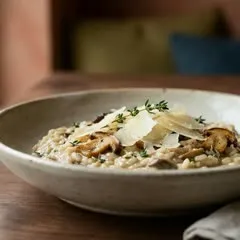
Pair a tablet at the entrance or on the counter from your menu's Share tab, and it shows your menu and the AI waiter. After 90 seconds without a touch it starts fresh, so the next customer never opens the last one's chat.
Still there? at 75 seconds
Any tap keeps the session going.
Paired once, never by a shared link
The pairing link works once, for 30 minutes.
Every tablet counted in Insights



Your dashboard · Share
Tablets in your restaurant
- Entrance · HamraActive · seen just now
- Counter · HamraActive · seen 2 min ago
- Terrace · AchrafiehWaiting to be paired
Pair again
What is Service in tamr?
Service is tamr's front of house app: the full-screen view your hosts and the manager on shift keep open on a tablet. It holds the floor plan, arrivals, live chats, bookings, orders and sold out dishes, on the same data as your dashboard, so a booking made online is on the floor as soon as it is made.
What do I need to run Service?
A tablet with a browser. Service has its own address and installs on the tablet as its own app, so your host opens it like any other app at the start of a shift. It is laid out for a tablet on a stand at the host stand, with buttons sized for a finger.
Can my hosts change settings or edit the floor plan?
Only if their role allows it. Service holds just the screens the floor needs, while menus, campaigns, settings and customer records stay in the tamr dashboard. Each team member's role decides what they can change, so a host can seat parties without being able to edit the floor plan.
Which plan includes Service?
Service and the floor plan are part of tamr Pro, along with bookings, ordering from the table and kiosk mode. Your menu and the AI waiter answering customers stay free for one location. See the plans for what each one includes.
Can my floor team see what customers are asking?
Yes. Live chats in Service shows what customers at each table are asking the AI waiter, with the table number beside each chat. The AI waiter answers in any language the customer writes in, Arabizi included, and customers install nothing: they open your menu from the code on the table.
What does the next manager get at handover?
A shift handover that tamr Service writes in plain lines: how today went, who did not come, what ran out and what tomorrow holds. The manager taking over reads it once and knows where the evening stands.
How do I set up a kiosk tablet?
In your menu's Share tab, add a tablet with a name and a location. tamr gives you a pairing link and a QR code that work once, for 30 minutes. Open it on the tablet and it becomes a kiosk. From the same list you can rename a tablet, pair it again, remove it and see when it was last seen.
Can the next customer see the last one's chat on a kiosk?
No. A paired tamr kiosk asks Still there? after 75 seconds without a touch, then counts down 15 seconds. At zero it clears the list, the language, the filters and the chat, reloads your menu and starts as a new customer. If the tablet is offline at that moment, the AI waiter stays closed until it is fresh.
Book a demo and we show you a Friday night on the tablet. Or start free tonight and switch Service on when you go Pro.
Or send us your menu on WhatsApp and it is live today.