Conversations
The conversations inbox, its filters and statuses, the transcript view, and how to export or delete a chat.
Conversations is a complete, searchable record of every chat between a customer and your AI waiter. It is the raw material behind your insights, and where you go to see exactly what was said.
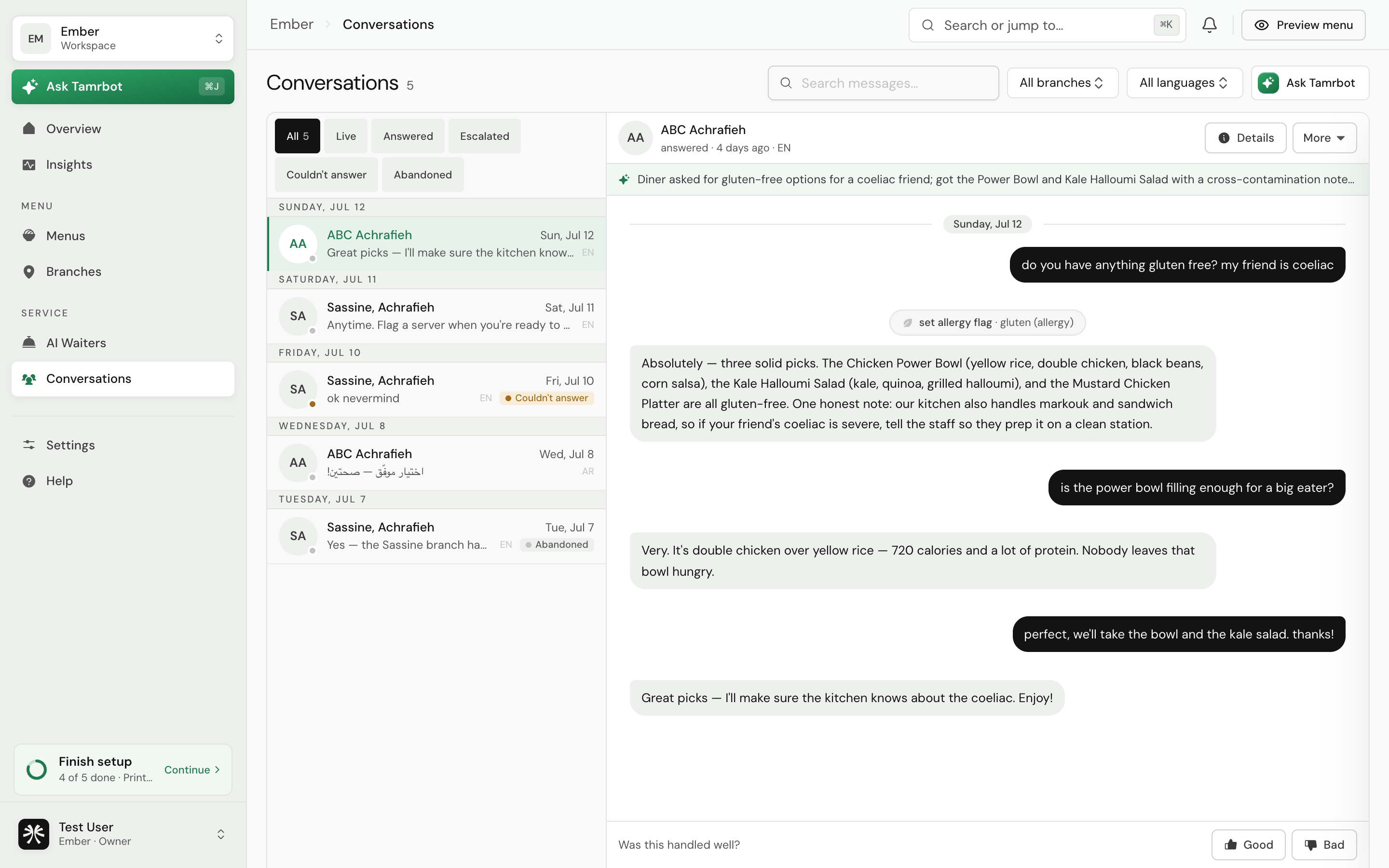
Layout
On a desktop the screen is a two-pane inbox: the conversation list on the left, the selected transcript on the right. On a phone it drills down, showing the list first and the transcript when you open one.
Find a conversation
- 1Filter by status
Use the tabs to narrow the list: All Active Escalated Fallback.
- 2Search the messages
Type in the search box to find conversations by what was said. Results update as you type.
- 3Filter by branch or language
When your data spans more than one branch or language, extra filters appear so you can focus on one.
- 4Load more
The list loads in pages of fifty. Select Load more to reach older conversations.
Conversations refreshes itself roughly every thirty seconds, so new activity appears without a reload. You can also open a specific chat directly with its link.
What a conversation status means
ActiveongoingEscalatedhanded offFallbackunansweredRead a transcript
Open any conversation to see the full thread: the customer's messages, the waiter's replies, and a summary of what happened. The Details panel shows the customer's information and history. From here you can export the transcript, or delete the conversation.
A deleted conversation is removed from your records and cannot be recovered. Export it first if you might need it.
FAQ
What is the difference between a fallback and an escalation?
A fallback is when the waiter could not answer a question and said so. An escalation is when it deliberately handed the customer to your staff, most often for an allergy. Both are logged so you can act on them.
Can I search inside the messages, not just titles?
Yes. The search box matches the message content of every conversation.
How far back does the history go?
As far back as your data retention setting allows. You control retention under Settings, Privacy. See privacy and data →.
Related
Last reviewed July 16, 2026