
Set up your locations
The Locations list, a location's page, the address and map pin, opening hours, and how menus are served at each location.
A location is one physical restaurant: its address, hours, contact, wifi, floor plan and bookings. If you run one restaurant you have one location. If you run several, each gets its own page, its own code and its own numbers. Open Locations near the foot of the sidebar.
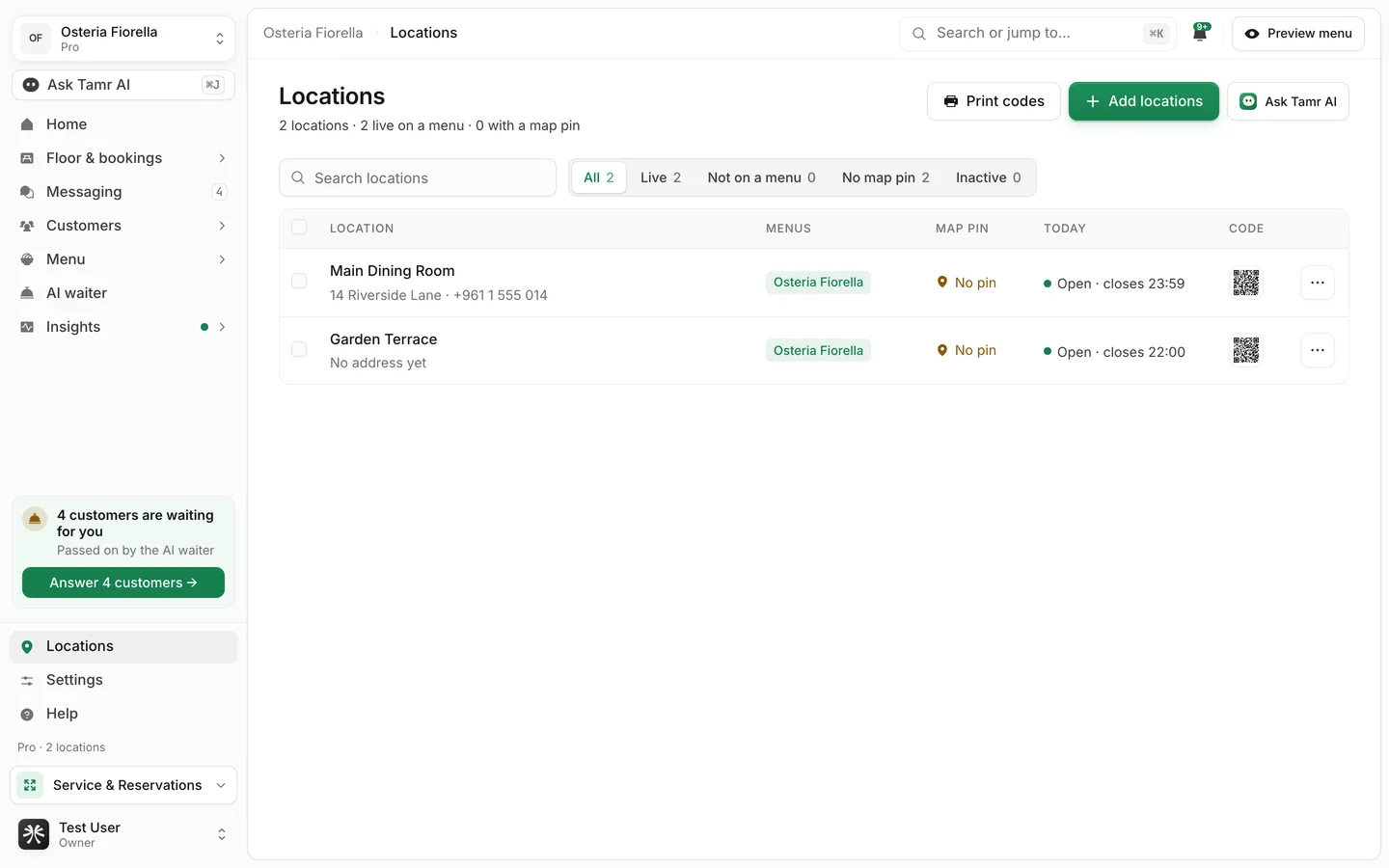
Read the list
The line under the title counts your locations, how many are live on a menu, and how many have a map pin.
Search locationssearchFilterstabsMenuscolumnMap pincolumnTodaycolumnCodecolumnTick several rows to act on them together: serve a menu or stop serving one, copy hours and details from another location, look up each address and place it on the map, set them active or inactive, or delete them.
On Pro, a location is billed while it is active and serves a published menu. Set inactive stops billing for it. See Plans and billing.
Add locations
- 1Open Add locations
Press Add locations.
- 2Choose how
One location: a Name, Phone and Address. Paste a list: one location per line, for example
Downtown, 12 Main St, Beirut, +961 1 234 567. Spreadsheet: press Choose a spreadsheet and pick the file. - 3Serve a menu and copy details
Under Serve this menu, pick the menu it serves, or leave Not yet. Under Copy hours and details from, pick a location to copy, or Start blank.
- 4Add
Press Add location.
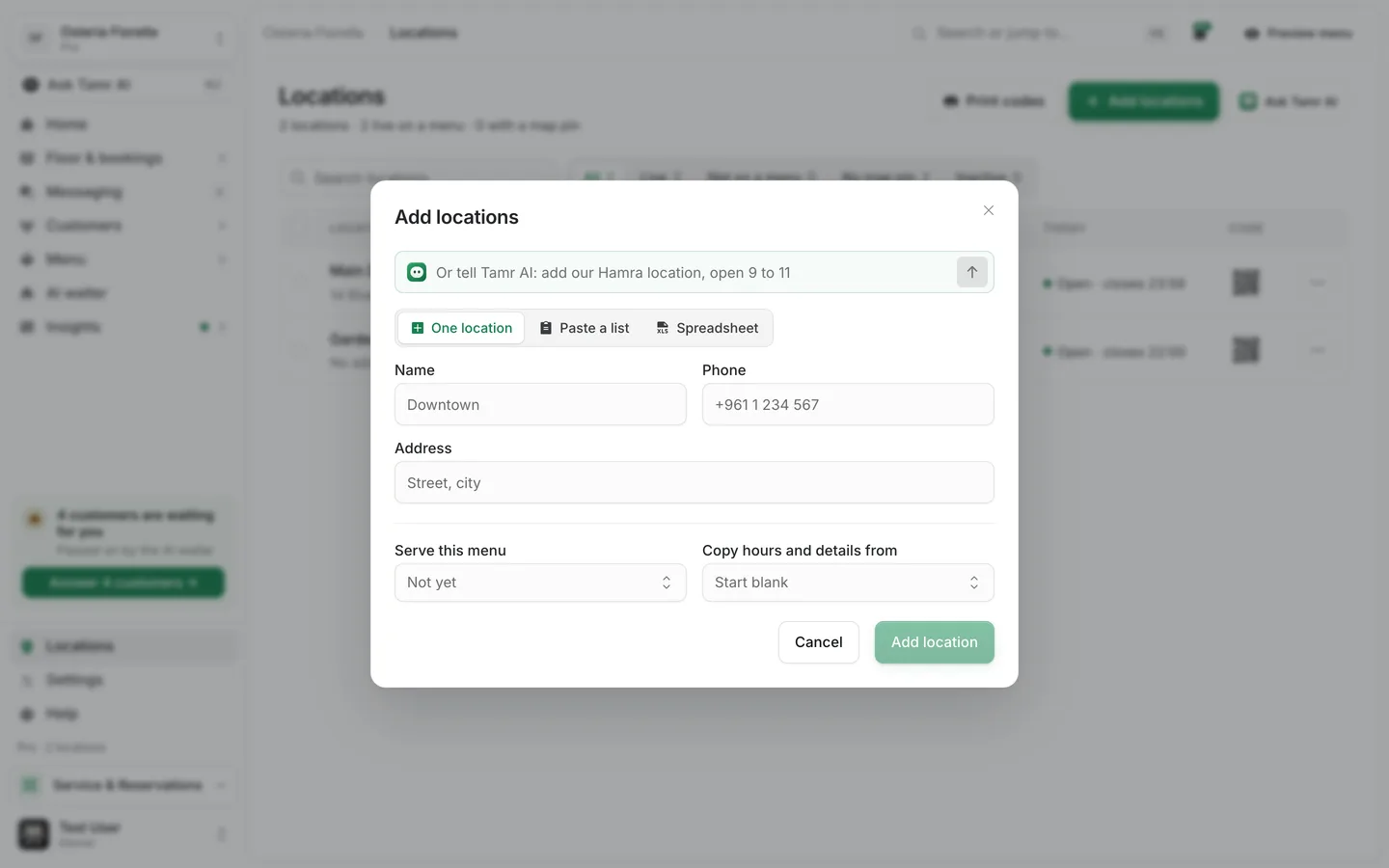
The field at the top of the dialog takes a sentence for Tamr AI: "add our Hamra location, open 9 to 11".
Set up a location
Open a location to see its page. On this page on the right jumps to each section. The card under it shows what customers see: open or closed now, the address, the phone and the week's hours.
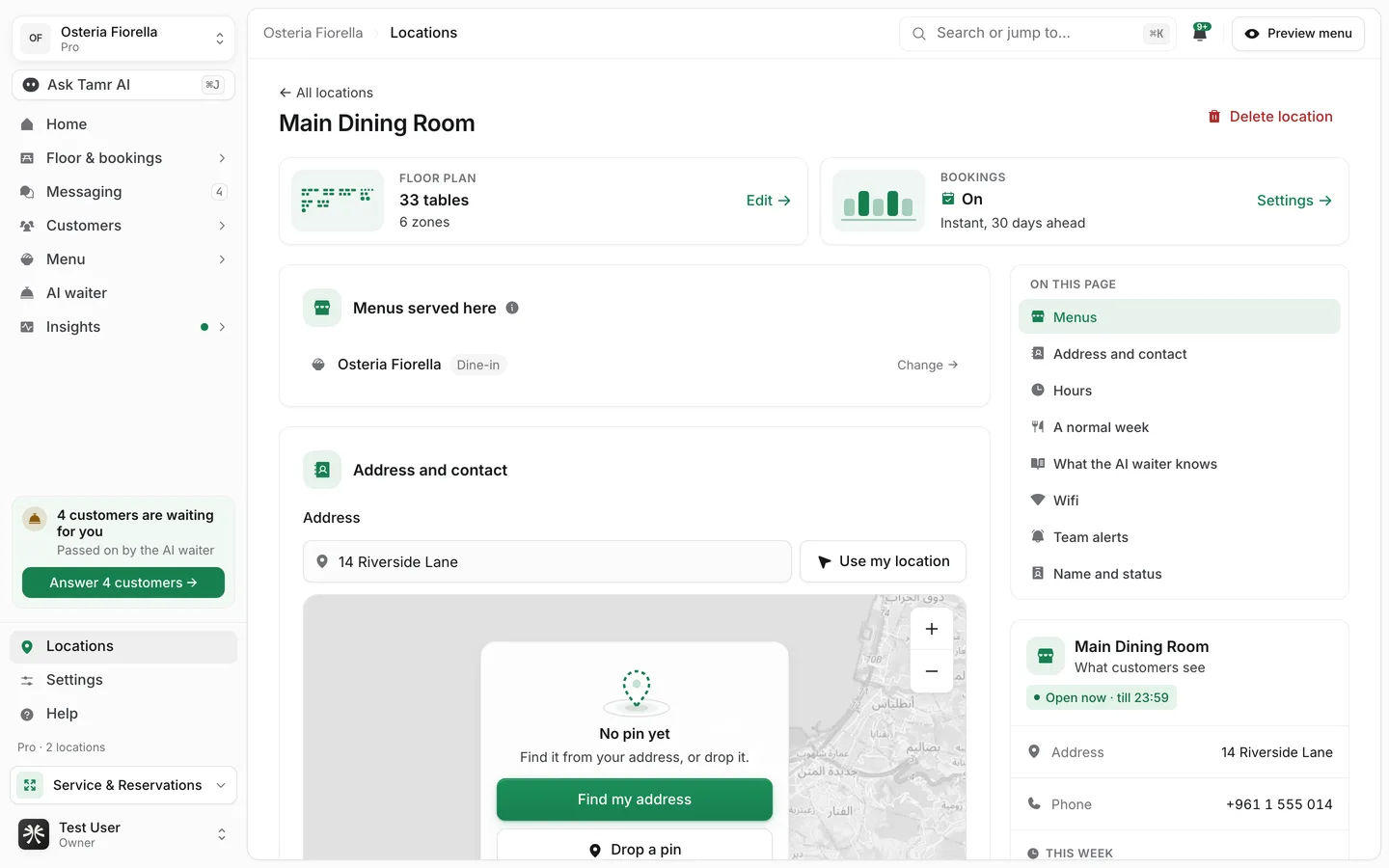
Floor plancardBookingscardMenussectionAddress and contactsectionHourssectionA normal weeksectionWhat the AI waiter knowssectionWifisectionTeam alertssectionName and statussectionSet the address and map pin
The map pin is where customers get directions to.
- 1Type the address
Type it in Address, or press Use my location when you are at the restaurant.
- 2Place the pin
Press Find my address to put the pin on it, or Drop a pin to place it yourself.
- 3Drag it to your door
Drag the pin to your entrance, or move it with the arrow keys. You can also type the Latitude and Longitude.
Set opening hours
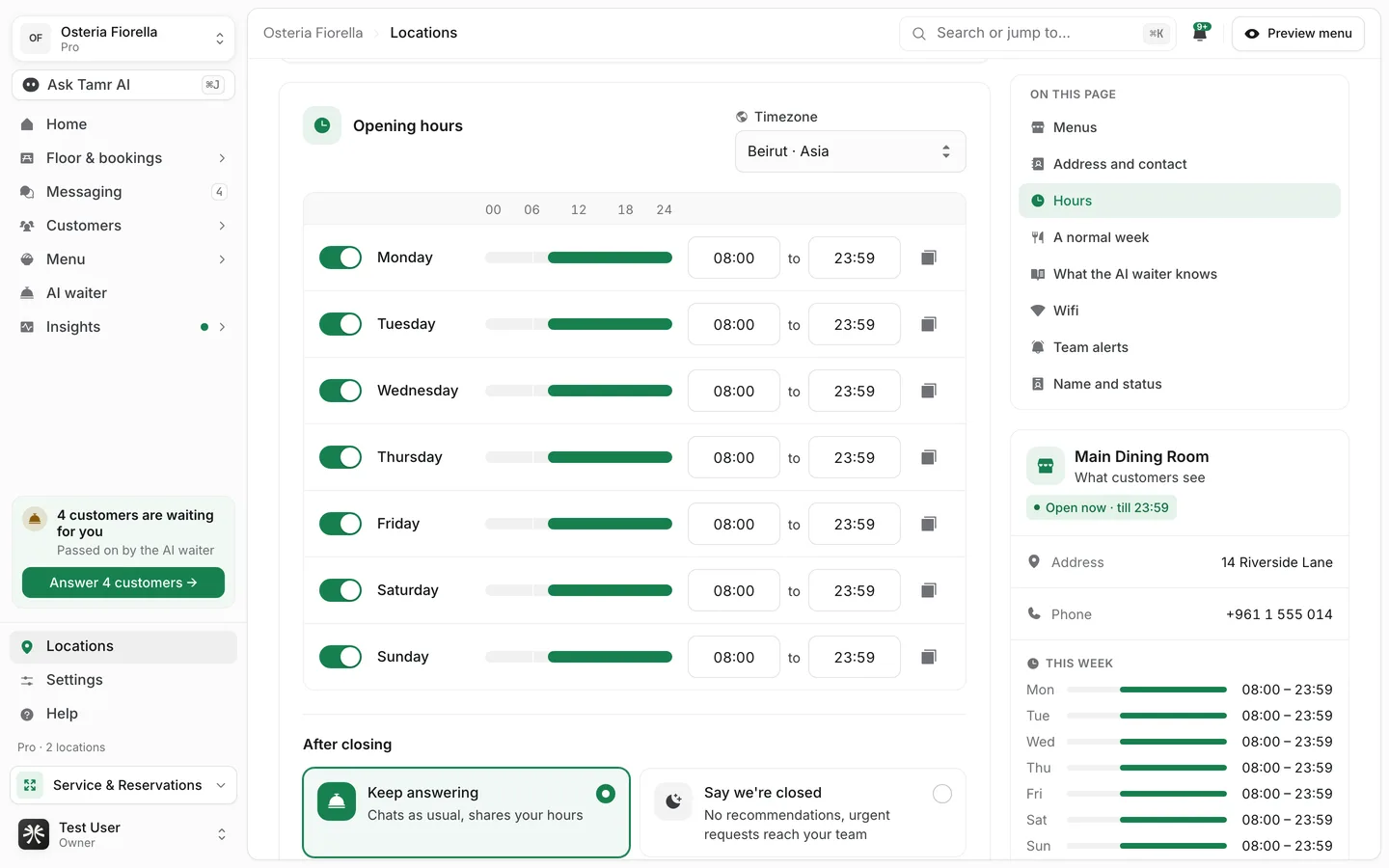
Each day has a switch, an opening and a closing time, and a bar that draws the day. A closing time after midnight is marked Closes the next day. Use the copy button at the end of a row to copy that day to other days, or to every day. Set the Timezone above the table: the location's day, its open or closed status and its reports follow it.
Under After closing, choose what the AI waiter does while you are closed:
Keep answeringoptionSay we're closedoptionTurn the chat offoptionSwitch between locations
Floor, Bookings, Orders, Messaging and the other screens that show one location at a time carry a location switcher beside their title. With more than 6 locations the switcher becomes a search: type to find one of your locations.
How menus are served at a location
A menu reaches customers at a location when the location serves it. Customers on that menu see the location's hours, wifi and contact, and the AI waiter answers with them. Two locations can serve the same menu, and each keeps its own code, floor plan, bookings and insights.
FAQ
Do I need to set up locations if I have one restaurant?
You already have one location. Fill in its address, hours and pin so customers and the AI waiter get them right.
Why do my busy hours look off?
Check the location's Timezone. Hours and reports follow it.
Can a role be limited to some locations?
No. Every role sees every location.
What happens when I delete a location?
tamr asks first. If it is the only location serving a menu, that menu goes back to draft and its QR codes stop working until it is published at another location. To stop billing without deleting, set the location inactive.
Related
Last reviewed October 14, 2026