
Understand the model, fair use, and advanced settings
The model tamr runs, fair use of 1,500 conversations per location per month on Free and 5,000 on Pro, the alerts, and Advanced (developer instructions, detach, delete).
tamr runs the AI waiter on a model it chooses and keeps up to date, so there is nothing to configure. This article covers the one limit that exists, fair use, and the Advanced settings at the bottom of the editor.
The model
There is no model picker. tamr chooses the model and manages it for you. What changes how the waiter answers is in your hands: its tone, languages and rules, and the information on your menu.
Fair use
Fair use is an anti-abuse limit on AI waiter conversations, counted per location per month. It is not an allowance you buy, and almost every restaurant stays far below it.
Free1,500 / location / monthPro5,000 / location / month- A conversation is counted once, when a customer starts it. Every message after that is free.
- Test chats (the editor preview, Try it as a customer, and the test) are never counted.
- The count resets on the 1st of each month.
What happens near and at the limit
- 1At 80%
Owners get a dashboard notification and an email saying the location has passed 80% of its conversations for the month. Nothing changes for customers.
- 2At the limit
Owners are told again, and so is the tamr team. Conversations already under way are never cut off.
- 3Past the limit
A customer who starts a new chat at that location sees "Our waiter is resting for now. A member of staff will be happy to help you." until the count resets. The menu itself keeps working.
If a location regularly comes close, talk to the tamr team. Fair use exists to stop abuse, not to limit a busy restaurant.
Advanced settings
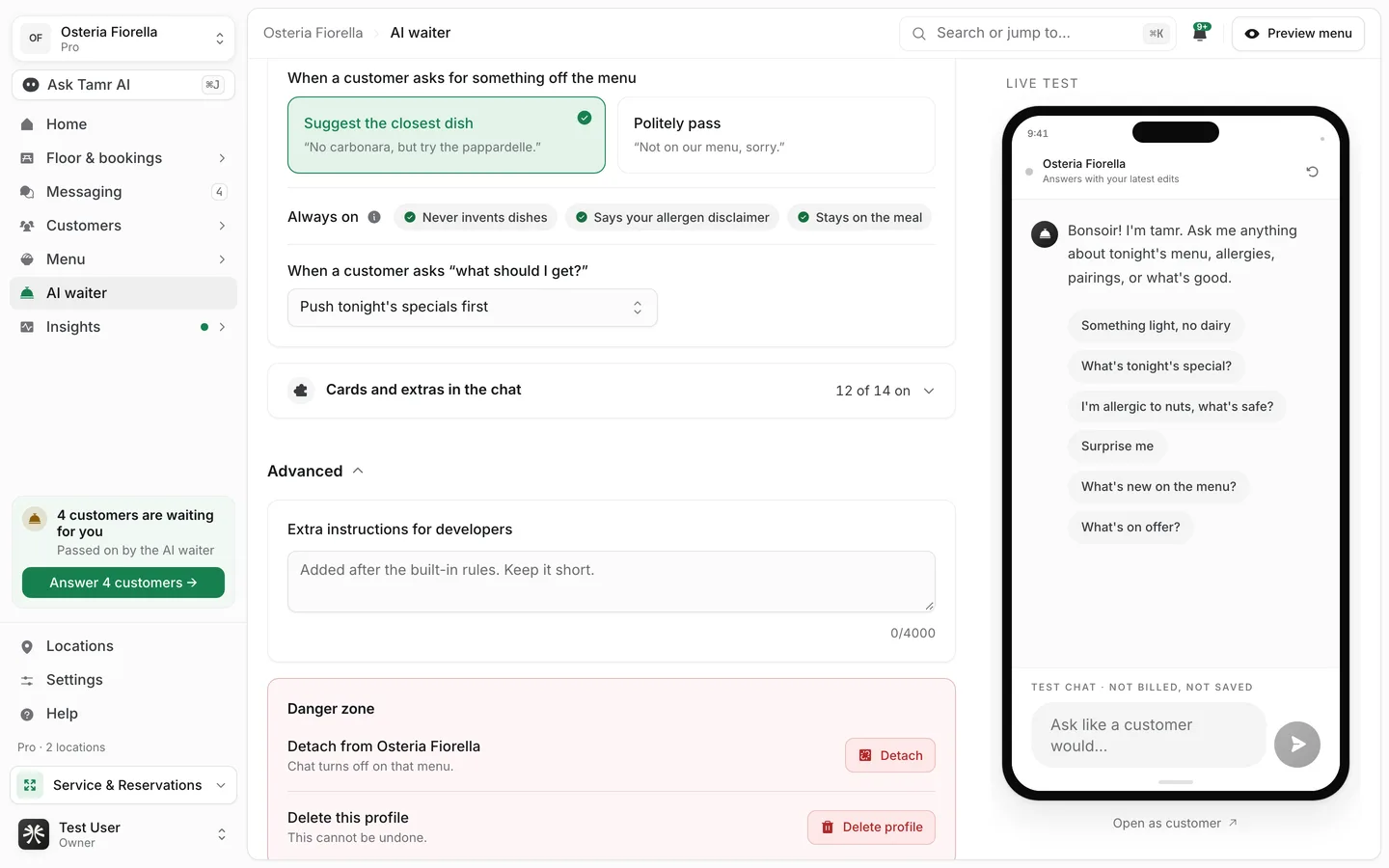
Advanced is closed at the bottom of the editor and is visible to owners and admins.
Extra instructions for developers4,000 charactersDetach from a menureversibleDelete this profilepermanentFAQ
Is the AI waiter metered or billed per conversation?
No. Both plans include the AI waiter. Fair use is a ceiling against abuse, not a meter.
Do voice notes count separately?
No. A voice note is a message in a conversation, and only the conversation is counted.
Does detaching a waiter delete it?
No. Detaching only turns chat off on that menu. Deleting is a separate action in the same danger zone.
Can I choose a different AI model?
No. tamr chooses and manages the model. Tune the waiter through its settings and your menu instead.
Related
Last reviewed October 14, 2026