
Choose what your AI waiter may do
Abilities (handover, service requests, pairings, voice notes), house rules, and the built-in rules.
What it may do is the third section of the AI waiter editor. It holds the few decisions that change what the waiter does at the table, each written as the line a customer would actually read. Open it from the AI waiter page with What it may do.
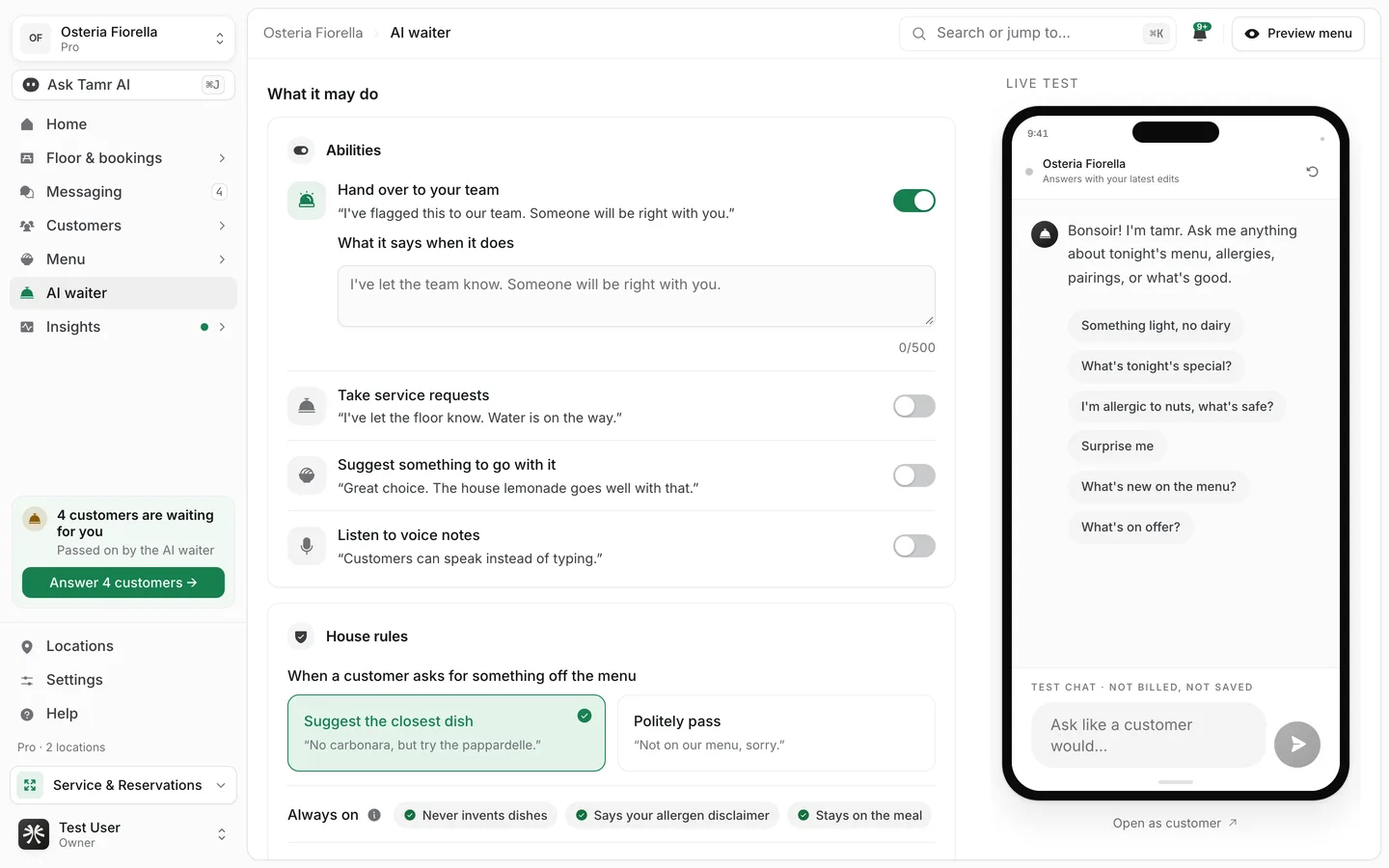
Turn abilities on or off
Hand over to your teamon by defaultTake service requestsoff by defaultSuggest something to go with itoff by defaultListen to voice notesoff by defaultAlerts land in the bell at the top of your dashboard, and a handed-over chat shows under Need you in Messaging. On Pro, a location can also send alerts by email, Slack or webhook. Staff cannot reply inside the customer's chat; someone goes to the table. See Messaging →.
Set the house rules
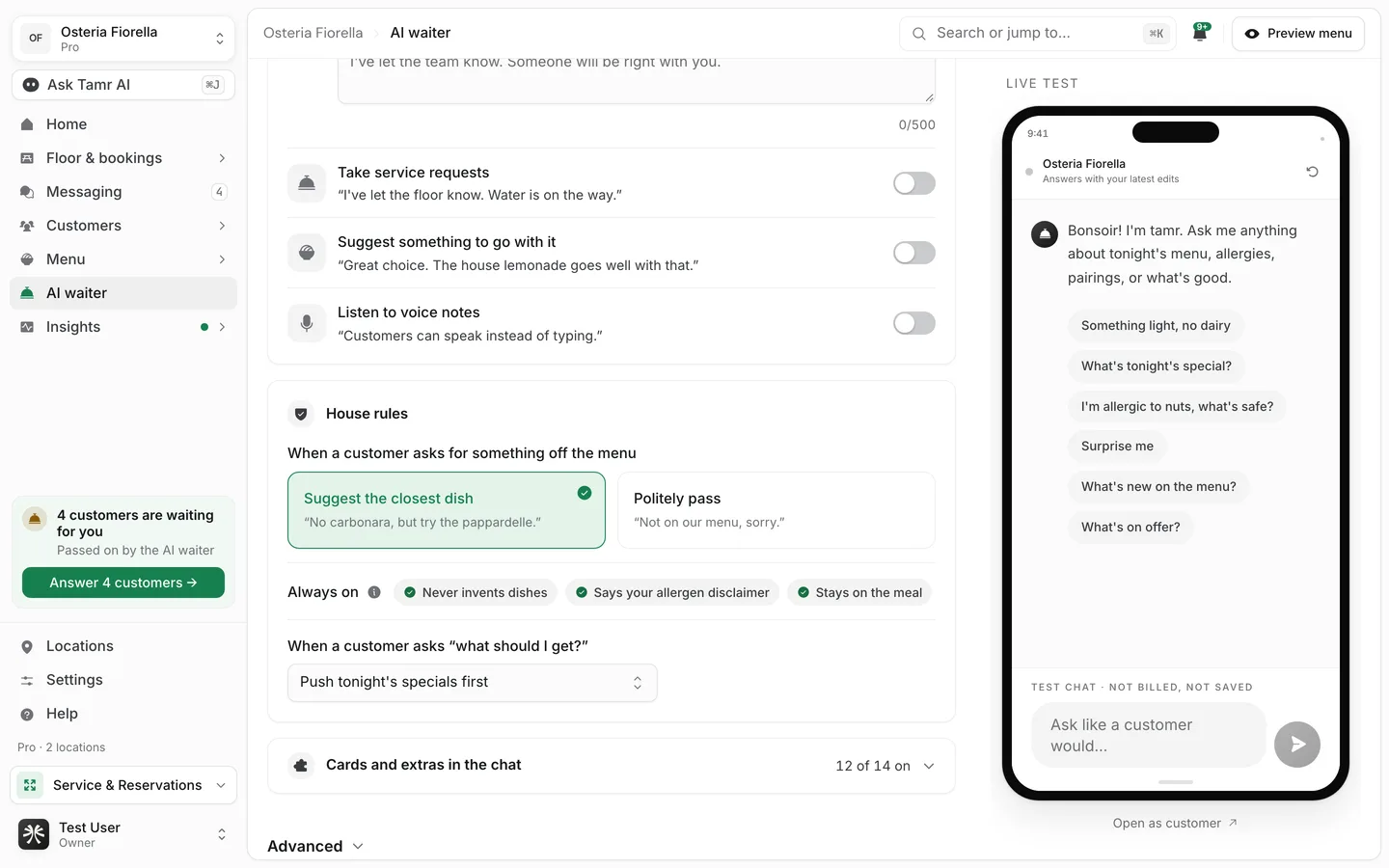
When a customer asks for something off the menu
Suggest the closest dishdefaultPolitely passoptionSome early profiles were set to alert the team instead. Those show Now: alerts your team. Pick one to change. Pick either option to update it.
When a customer asks "what should I get?"
Pick what fits the customerdefaultPush the chef's picks firstoptionPush tonight's specials firstoptionOnly recommend when askedoptionThe rules it always follows
Three rules come with every waiter and cannot be turned off, because they protect accuracy and safety. They show under Always on.
- Never invents dishes. It only talks about what is on your menu.
- Says your allergen disclaimer. It answers from the allergens on your dishes and asks the customer to confirm an allergy with staff when they order.
- Stays on the meal. It keeps the conversation on your restaurant and your food.
Complete allergens, descriptions and a waiter's note on each dish, plus your notes for each menu, do more than any switch here. The test shows exactly what is missing. See test your AI waiter →.
FAQ
Can I stop the waiter from recommending anything?
Yes. Choose Only recommend when asked and leave Suggest something to go with it off.
Why can't I turn off the allergen disclaimer?
It is a safety rule. The waiter never promises a dish is safe for an allergy; it tells the customer what your dish data says and asks them to confirm with staff.
Do voice notes cost extra?
No. Voice notes are part of the AI waiter on every plan.
The waiter hands over too often. How do I reduce that?
Run the test and fill the gaps it lists, then check Handed over on the AI waiter page next week. Most handovers are questions your menu does not answer yet.
Related
Last reviewed October 14, 2026