
Create and manage waiter profiles
When you need a second profile, how to add one, its defaults, and every action in the More menu.
Most restaurants run one AI waiter for everything, and tamr creates that one for you with your first menu. Add another profile only when a menu or brand needs a different voice, for example a formal dinner menu next to a playful brunch menu.
Add another profile
- 1Open More on the AI waiter page
With one waiter, open More → Add another AI waiter. With two or more, use New profile at the top of the page.
- 2Shape it in the editor
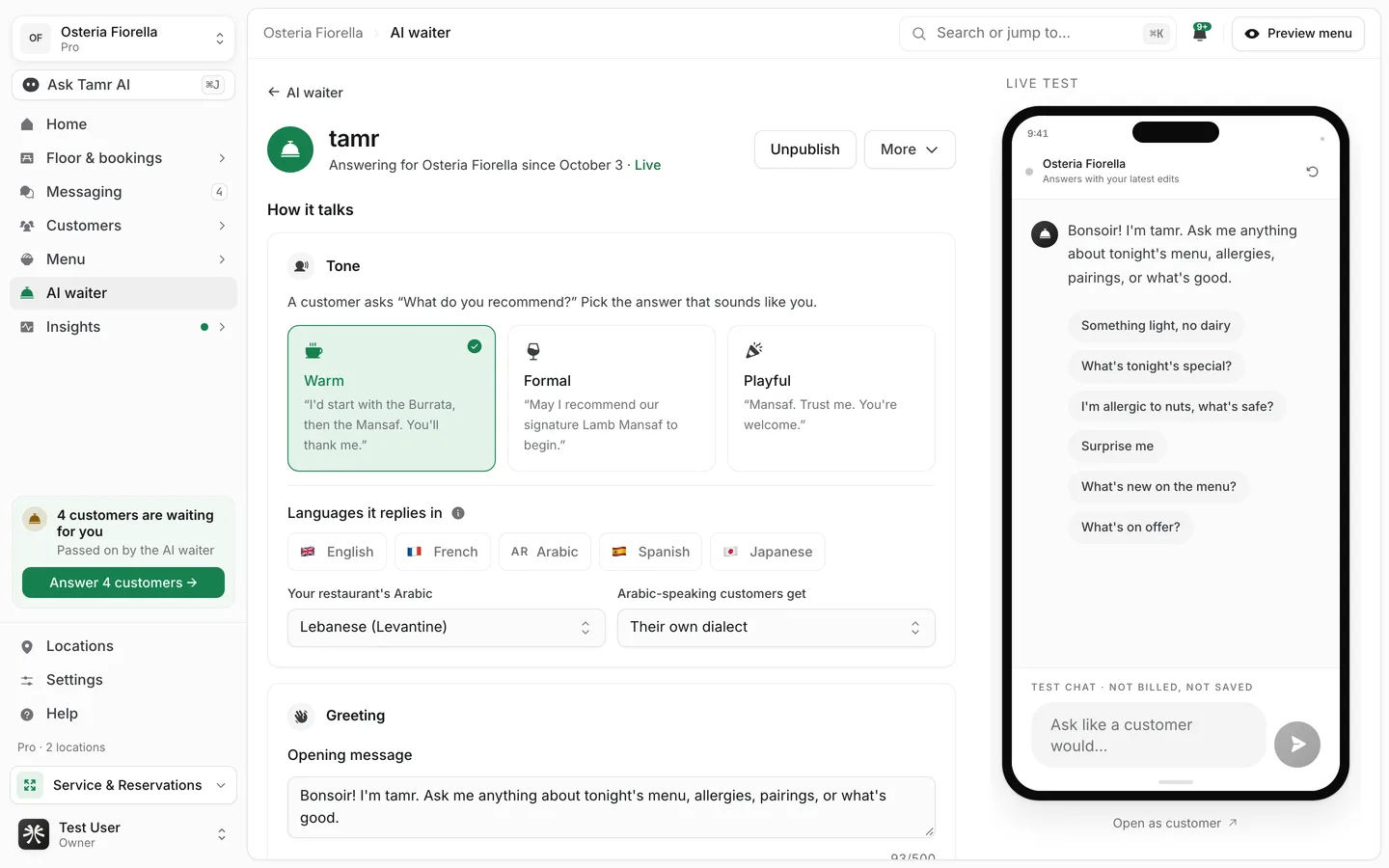
tamr creates the profile as a Draft and opens its editor. Set how it talks and what it may do. The live chat beside the settings answers with your changes as you make them.
- 3Publish it and attach it to a menu
Select Publish, then attach it to the menus it should answer on. See attach and publish →.
What a new profile starts with
Internal label40 charactersToneWarmQuestions customers can tap4 of 8LanguagesanyBuilt-in rulesalways onStatusDraftA profile's name is an internal label. In chat, customers always see "the AI waiter".
Manage a profile
The More menu on the AI waiter page, and on each profile card, holds every profile action. Destructive actions ask you to confirm first.
Edit profileopenDuplicate profilecopySet as defaultattachAttach to a menulistDelete profilepermanentFAQ
How many waiters should I have?
One is right for most restaurants. Add a second only for a genuinely different voice on a different menu.
Do customers ever see the profile name?
No. It is an internal label. Customers see "the AI waiter".
Does deleting a profile delete its conversations?
No. Conversations stay in Messaging. Only the profile and its settings are removed, and that cannot be undone.
Who can create or delete profiles?
Owners and admins. Other team members can open profiles and read them.
Related
Last reviewed October 14, 2026