
See what your customers see
A walk through the customer's phone, what depends on your settings, and why nothing is degraded on Free.
Everything you set up in the dashboard comes together on your customer's phone. Here is what happens after they scan your QR code or open your link.
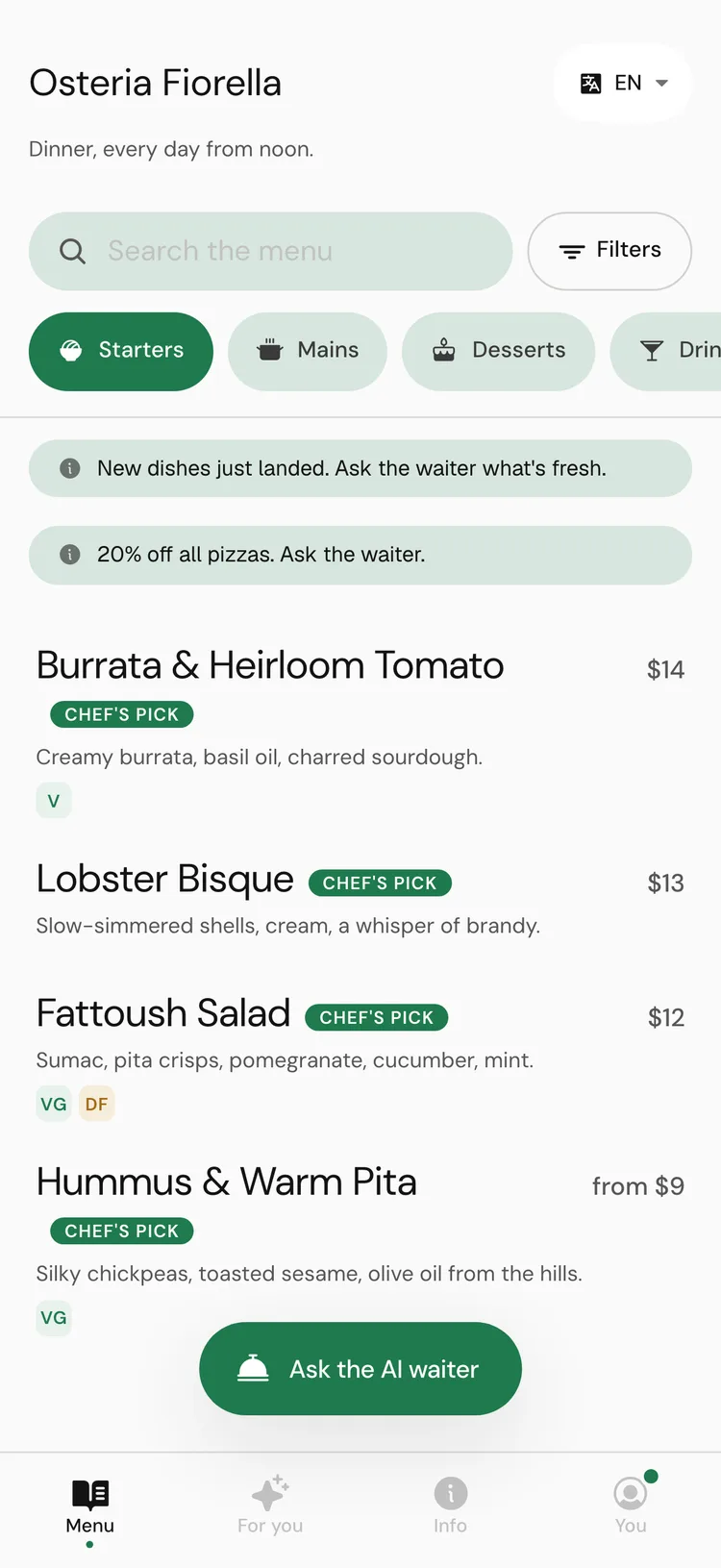
They land on your menu
No app and no sign-up. The menu opens in the phone's browser in your branding, with your categories and dishes. Customers can:
- Open any dish for its photo, description, price, dietary tags, allergens and your waiter's note.
- Filter the menu by diet and by allergens to avoid. See allergens and dietary →.
- Switch the menu language. See languages →.
- Add dishes to My table, a list they show their server, or share with their table so everyone adds picks from their own phone.
- Read your restaurant's details, hours and links on the Info tab.
They ask the AI waiter
Ask the AI waiter opens a chat. Customers ask in their own words and get specific answers from your menu: dish cards with photos, a row of picks to swipe, a comparison, a pairing. See asking the AI waiter →.
The waiter answers allergy questions only from the allergens set on your dishes, and asks customers to tell staff about an allergy when they order. It never promises a dish is safe.
What depends on your settings
Some things only appear when you have set them up, and some of those are Pro features.
AI waiter chatevery planVoice notesevery planBooking a table in the chatProOrdering from the tableProSpecialsProServer on the wayevery planOn the Free plan
Nothing your customers touch is degraded on Free. They get the same menu, the same AI waiter and the same languages you set up. The menu shows Menu by tamr at the bottom on every plan. What Free limits is your side of the dashboard, plus the Pro extras in the table above. See plans and billing →.
FAQ
Do customers need an account?
No. They never need an account, a name or an email to read the menu or chat. Signing in is optional and only keeps their picks and chats across visits.
How do I see the menu as a customer?
On the AI waiter page, use Try it as a customer, or Open the whole menu to open the full menu in preview.
Can customers order and pay through tamr?
Customers can send their My table list to your team as an order when the menu takes orders (Pro). They pay at the restaurant as usual; prices on the list are a guide.
Related
Last reviewed October 14, 2026