
Get to know your AI waiter
The AI waiter page, its weekly numbers, the test, the three things that shape it, and the live chat to try it as a customer.
The AI waiter is the part of tamr your customers talk to. It answers questions about your dishes in plain language and in the customer's language, and it only talks about what is on your menu. Open it from AI waiter in the sidebar.
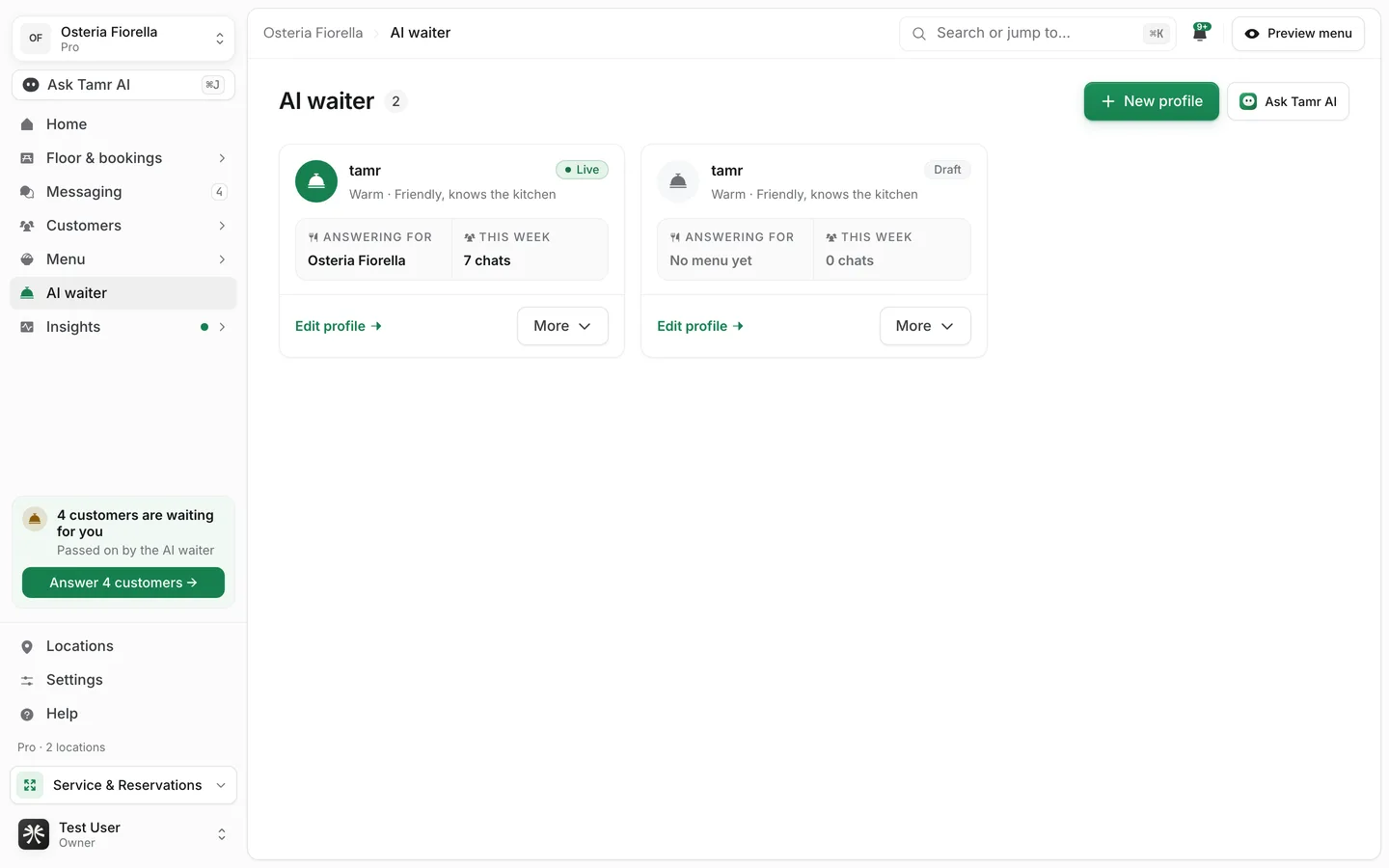
How it works
- Every restaurant starts with one AI waiter. tamr creates it with your first menu and attaches it, so a menu has chat as soon as you publish it.
- A waiter is a profile: how it talks, what it knows, and what it may do. You attach a profile to a menu and it answers there.
- One profile can answer on several menus. Most restaurants never need a second one.
- Customers always see "the AI waiter". The profile's name is an internal label.
- It is the same on every plan. Customers of a Free restaurant get the full AI waiter.
What the AI waiter page shows
With one waiter, the page is that waiter. With two or more, the page lists them as cards and each card opens its own editor.
Name and statusheaderLast 7 daysstatsTest your AI waitercardWhat shapes it3 cardsTry it as a customerlive chatChats in Try it as a customer and in the editor's preview use the real waiter, but they are not saved to Messaging, do not reach Insights, and do not count toward fair use.
The editor in three sections
Edit opens the editor: one page with three sections, named for what you are deciding, and the same live chat beside them.
Tone, the languages it replies in, Arabic dialect, the greeting, and the questions customers can tap.
The test, your notes for each menu, and each location's facts.
Abilities, house rules, and the cards it can show in chat.
If a customer asks for something you do not serve, the waiter says so and suggests the closest real dish, or politely passes, whichever you choose. It answers allergy questions only from the allergens set on your dishes.
Who can change it
Owners and admins edit the AI waiter. Other team members can open it and read every setting; the editor says View only. An owner or admin can change it. Team members allowed to manage specials can still add and pause them.
FAQ
Do I have to set anything up before customers can chat?
No. The default waiter is published and attached to your menus with a warm tone and the built-in rules. Publishing your menu is enough. Tuning it and running the test make it better.
Should I make a second waiter?
Only if one brand or menu needs a different voice. Use More → Add another AI waiter. See create a waiter →.
Is the AI waiter limited on the Free plan?
No. The waiter is the same on Free and Pro. Each location has a monthly fair use of conversations, an anti-abuse limit only. See model and fair use →.
Related
Last reviewed October 14, 2026