
Attach and publish your AI waiter
How attaching works, publishing and staged changes, turning chat off on one menu, and previewing as a customer.
Customers can chat on a menu when two things are true: the menu is published, and a published waiter is attached to it. tamr sets both up for you with your first menu. This article covers changing them.
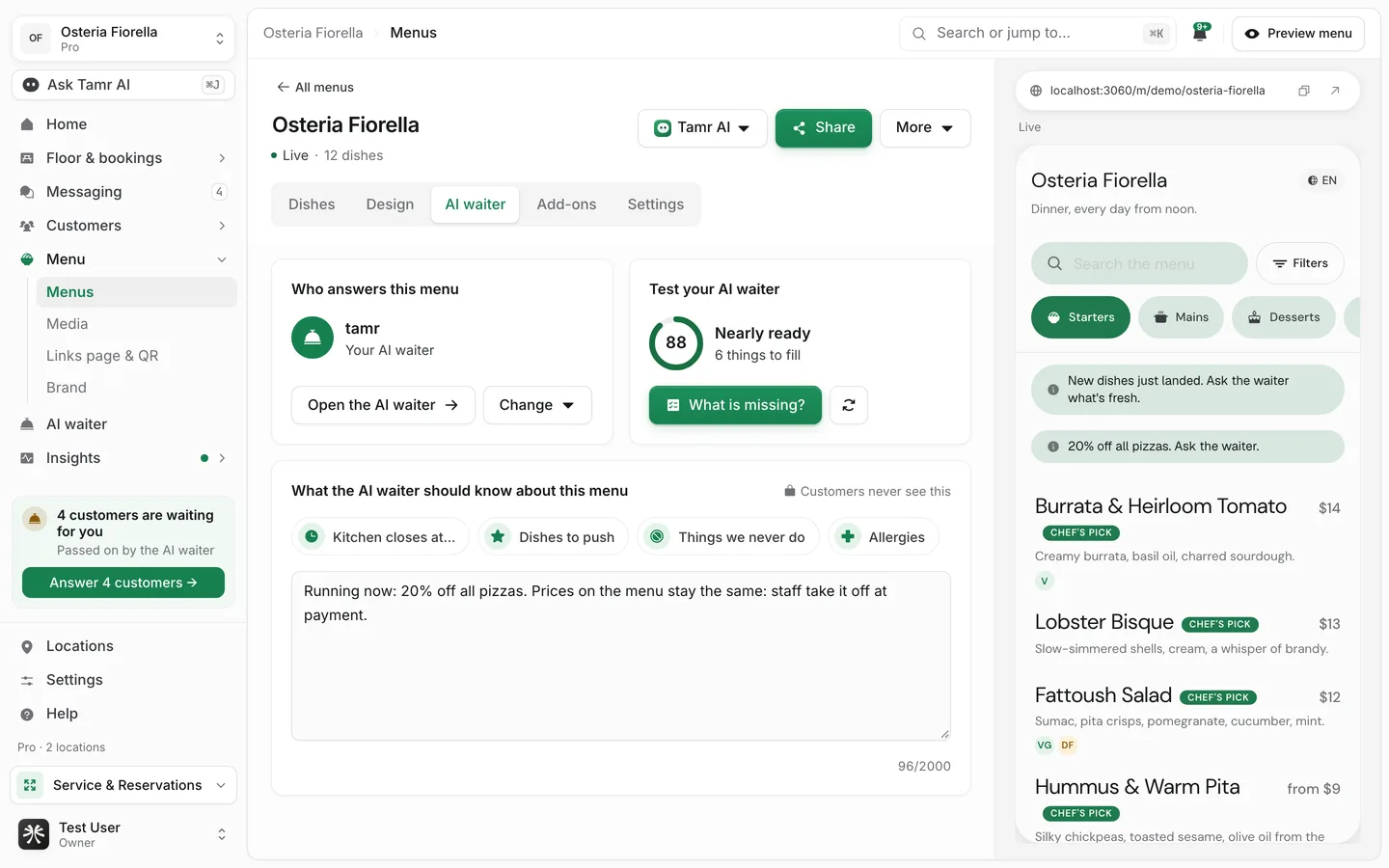
Chat shows to customers only when the menu is published and a published waiter is attached. If chat is missing, check both.
Attach a waiter to a menu
Each menu has one waiter at most. One waiter can answer on many menus.
- 1From the menu
Open the menu, go to the AI waiter tab, and select Change under Who answers this menu. Pick a profile. Draft profiles are marked Draft.
- 2Or from the AI waiter page
Open More → Attach to a menu and pick the menu. If the menu already has another profile, tamr asks before it switches: "This replaces the profile on that menu. Both keep their settings."
More → Set as default attaches the profile to every menu that has no waiter yet.
New menus get your first waiter automatically. A menu that goes live with no waiter gets it too.
Turn chat off on one menu
On the menu's AI waiter tab, select Change → No one (chat off). Customers can still read the menu. Or, from the waiter's editor, open Advanced and use Detach in the danger zone.
Publish, change, and unpublish
The buttons at the top of the editor follow the waiter's state.
DraftPublishLiveUnpublishLive, with editsPublish changesThe heading also says where it answers, for example Answering for Dinner since October 2.
Try it as a customer
Before you print a QR or share your Links page, ask a few real questions.
- On the AI waiter page, use Try it as a customer. Pick the menu to test on, ask anything, and start over with New chat.
- In the editor, the chat preview answers with your unpublished changes, so you can try an edit before customers see it.
- Open the whole menu (or Open as customer in the editor) opens the full customer menu in preview.
- Run the test for a scored check of the 26 questions customers ask most. See test your AI waiter →.
FAQ
I attached a waiter but customers don't see chat.
Check that the menu is published and the waiter is Live. A draft on either side keeps chat off.
Will switching a menu's waiter lose my settings?
No. Switching only changes which profile answers that menu. Both keep everything.
Do my test chats show up in Messaging?
No. Preview chats are not saved and do not count toward fair use.
Related
Last reviewed October 14, 2026