
See your plan and get Pro
The plan card and its figures, conversations per location, Free vs Pro, the Get Pro request, fair use of 1,500 and 5,000 conversations, renewal and grace period, invoices.
tamr has two plans, Free and Pro. Pro is priced per location. Your plan, this month's usage and the comparison live on Settings → Plan, which owners and admins can open.
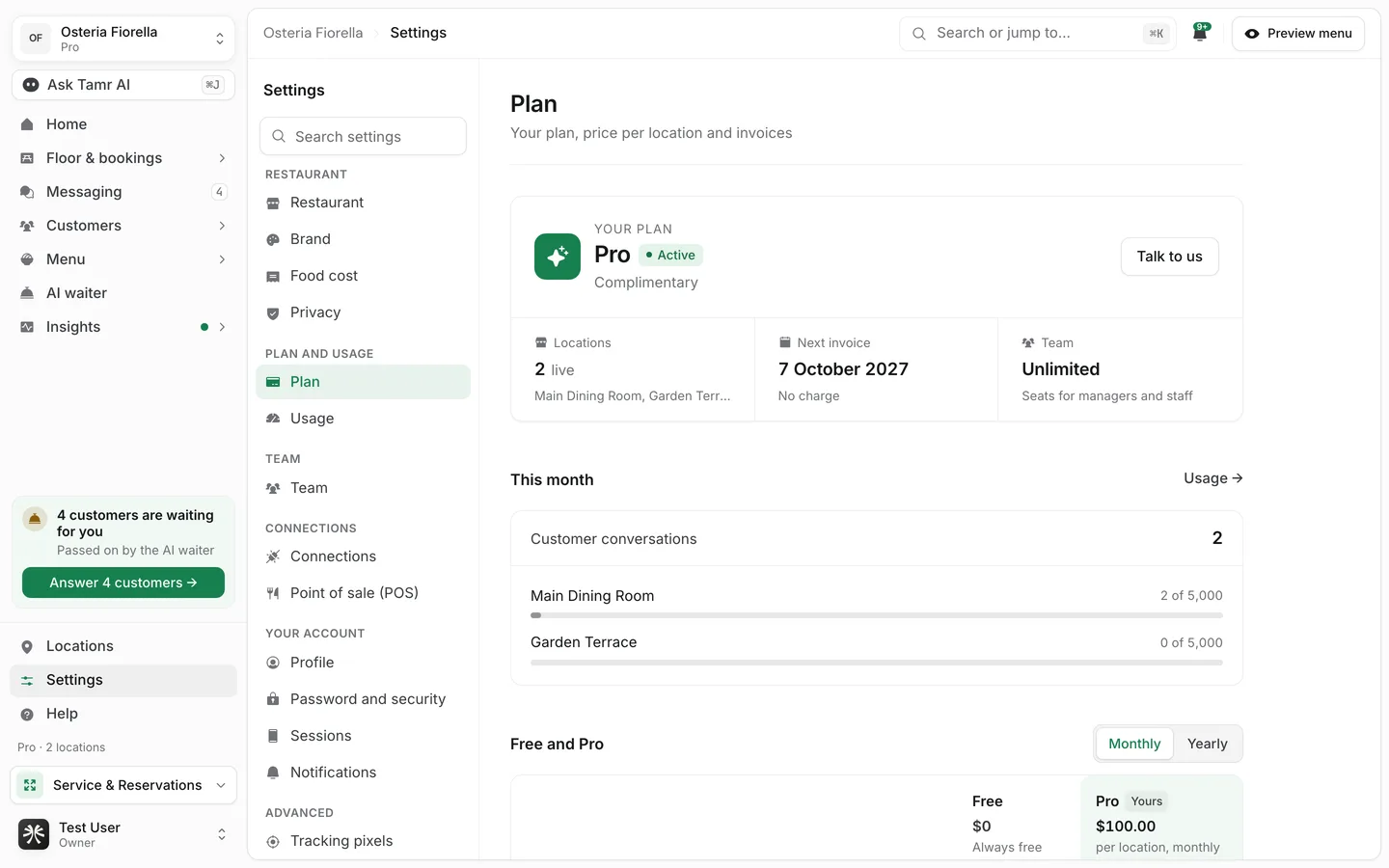
Read the plan card
Your planFree · ProStatusbadgeLocationscountNext invoice / PricedateTeamseatsThe button on the card depends on your plan: Upgrade to Pro on Free, Renew Pro on a paid Pro plan, and Talk to us on a complimentary plan.
Check this month's conversations
This month lists every live location with its AI waiter conversations against the fair use ceiling, and the total for all locations. Usage → opens Settings → Usage with the same figures. Counts reset on the 1st.
Free1,500Pro5,000Fair use is not an allowance you buy, and there is nothing to top up. It is there to stop abuse, not busy nights. tamr tells the owners at 80% and at the ceiling. A location that reaches it stops starting new AI waiter conversations until the 1st, and customers who open the chat are asked to speak to a member of staff. If you expect that, talk to us.
Compare Free and Pro
Free and Pro puts the two plans side by side. Switch Monthly and Yearly to see Pro's price per location for each; the Pro column notes that volume pricing is available.
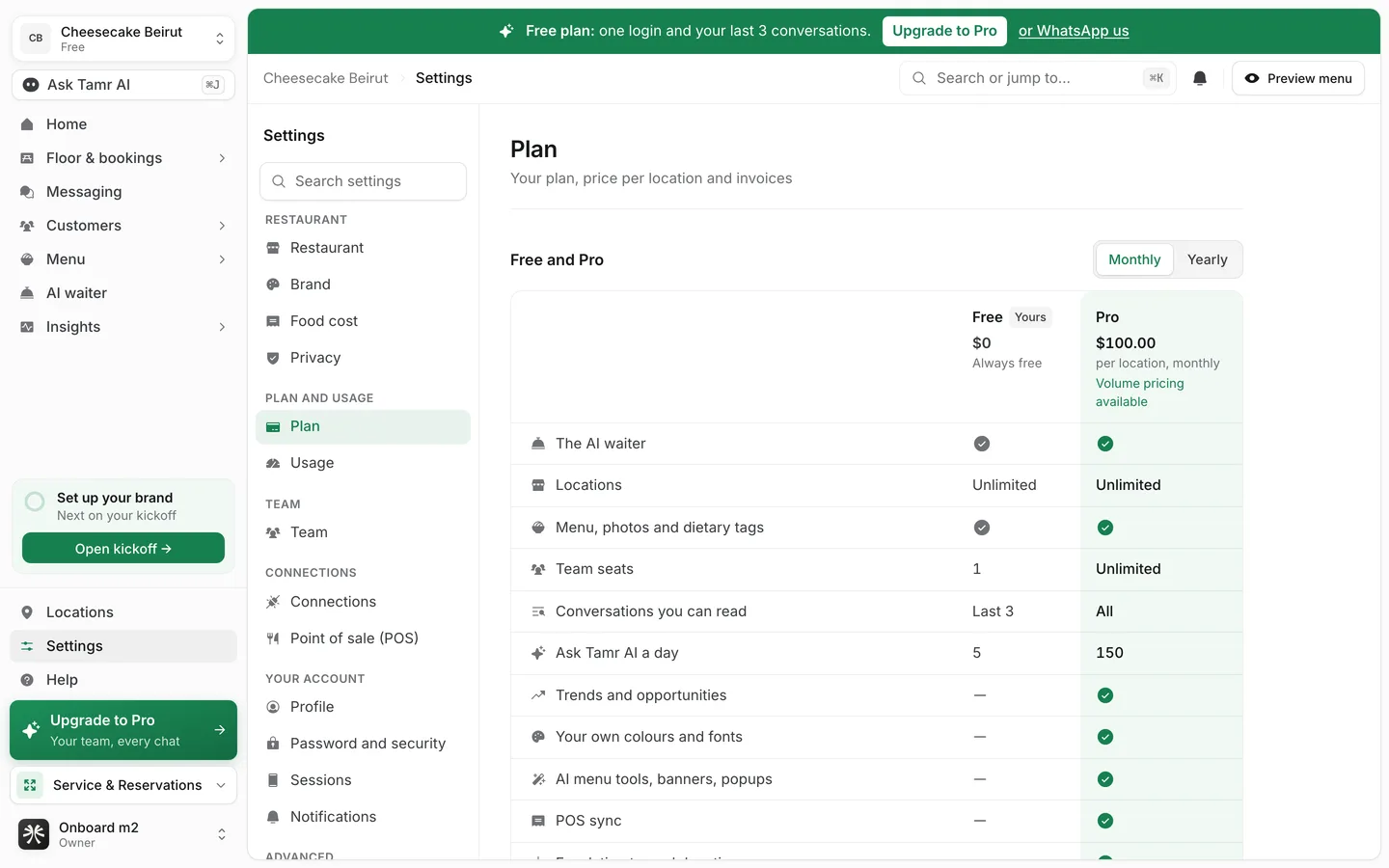
| Free | Pro | |
|---|---|---|
| The AI waiter, every location | Yes | Yes |
| Locations | Unlimited | Unlimited |
| Menu, photos, dietary tags and allergens | Yes | Yes |
| Team seats | 1 | Unlimited |
| Conversations you can read | Newest 3 | All |
| Ask Tamr AI questions a day | 5 | 150 |
| Insights reports | Summary | All, with ranked opportunities |
| Bookings and the Reservations app | No | Yes |
| Floor, Service, live chats and orders | No | Yes |
| Campaigns, On the House and the feedback card | No | Yes |
| Your own colours and fonts, Links page templates beyond Classic | No | Yes |
| AI menu tools, banners and popups | No | Yes |
| POS sync, WhatsApp, MCP access, kiosk | No | Yes |
| Escalation to each location, CSV export | No | Yes |
On Free, Pro pages stay in the sidebar with a small Pro mark. Opening one shows a preview with a Get Pro button, so you can see what you would get.
Get Pro
Pro is set up with you on a call, because pricing depends on how many locations you run. You never pay inside the app.
- 1Open Get Pro
Select Upgrade to Pro on the Plan page, or Get Pro on any locked page or card.
- 2Leave your number
Fill in Your name and Phone, with the country code. Add how many Locations you run and a Note, such as the best time to call, if you like.
- 3Request it
Select Request Pro. You see We'll call you shortly, and the Plan page shows that the request is waiting. The team calls to agree the price and how you pay, by cash or bank transfer, then switches you to Pro.
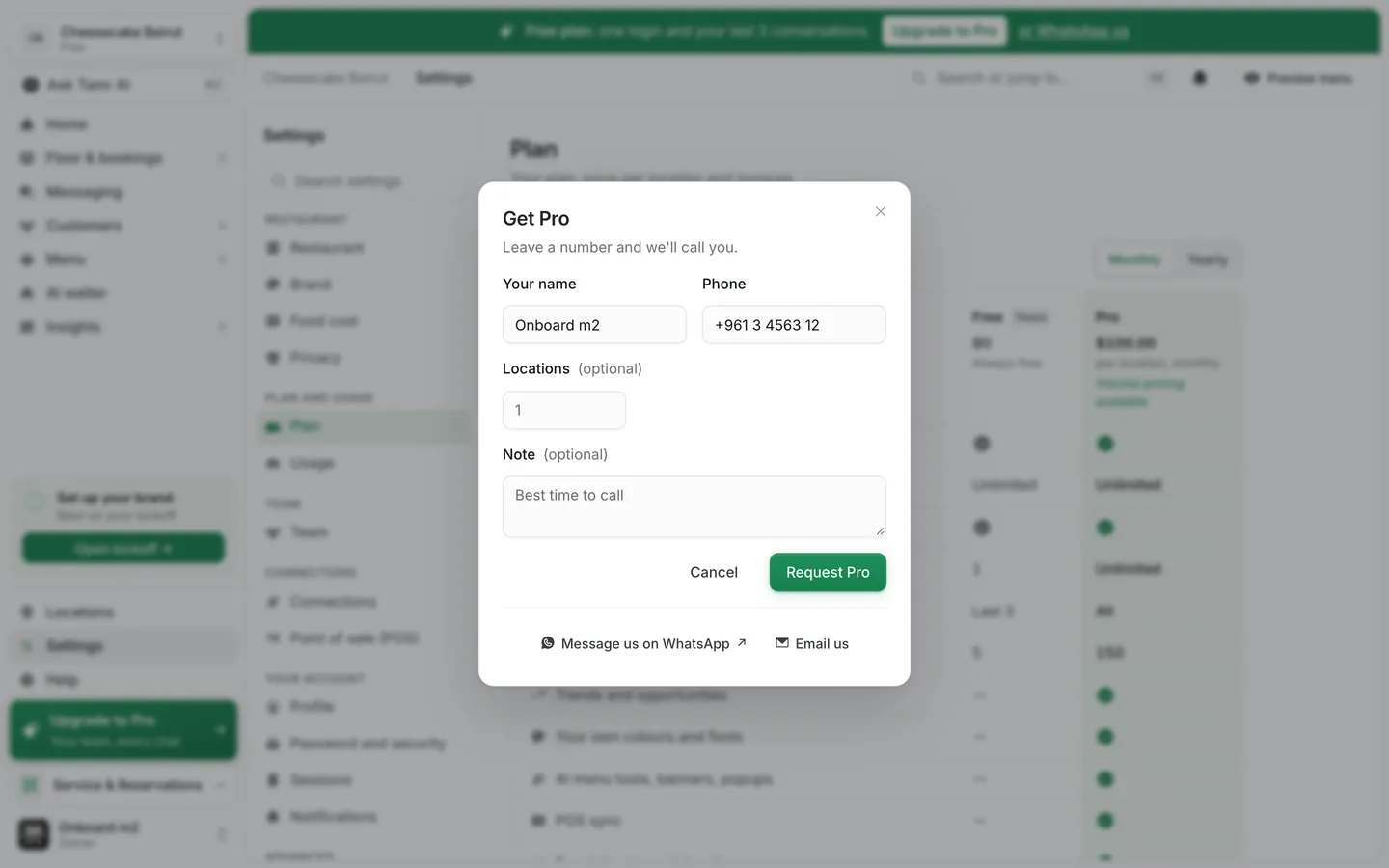
Prefer to write? Message us on WhatsApp and Email us at the foot of the dialog open a message that is already filled in.
Renewal and the grace period
A paid plan runs until its paid-until date. If it is not renewed by then, it keeps working for a 7-day grace period: the status shows Renewal due, with the date it stays on until. After that the restaurant moves to Free, the status shows Lapsed, and the owners and the team are told.
Moving to Free keeps your menus, waiters and history. Pro pages lock again and open to their preview.
Invoices
Under Invoices, Invoices and receipts shows how you receive them. Receipts are sent by email when a payment is recorded; select Request a copy to ask for one again.
FAQ
Why is there no price total or checkout?
Pro has volume pricing, so the figure is agreed with you on the call rather than worked out on screen.
Do I pay for locations without a menu?
The Plan page counts locations that are live, which means they have a published menu.
Is there anything to buy on top of Pro?
No. Plans are not metered. Fair use per location only exists to stop abuse.
Who can see the Plan page?
Owners and admins. Other roles do not see Plan or Usage in Settings.
Can I try Pro first?
Invite another restaurant: when it publishes its menu, you both get a month of Pro. See referrals →.
Related
Last reviewed October 14, 2026