
How customers find dishes for their allergies and diets
Menu filters, dish details, the waiter's allergy handling, the allergy note on an order, and the dish data behind all of it.
Allergens and dietary tags are among the most useful things you can get right, both for customers browsing on their own and for the AI waiter answering questions. All of it comes from what you set on each dish.
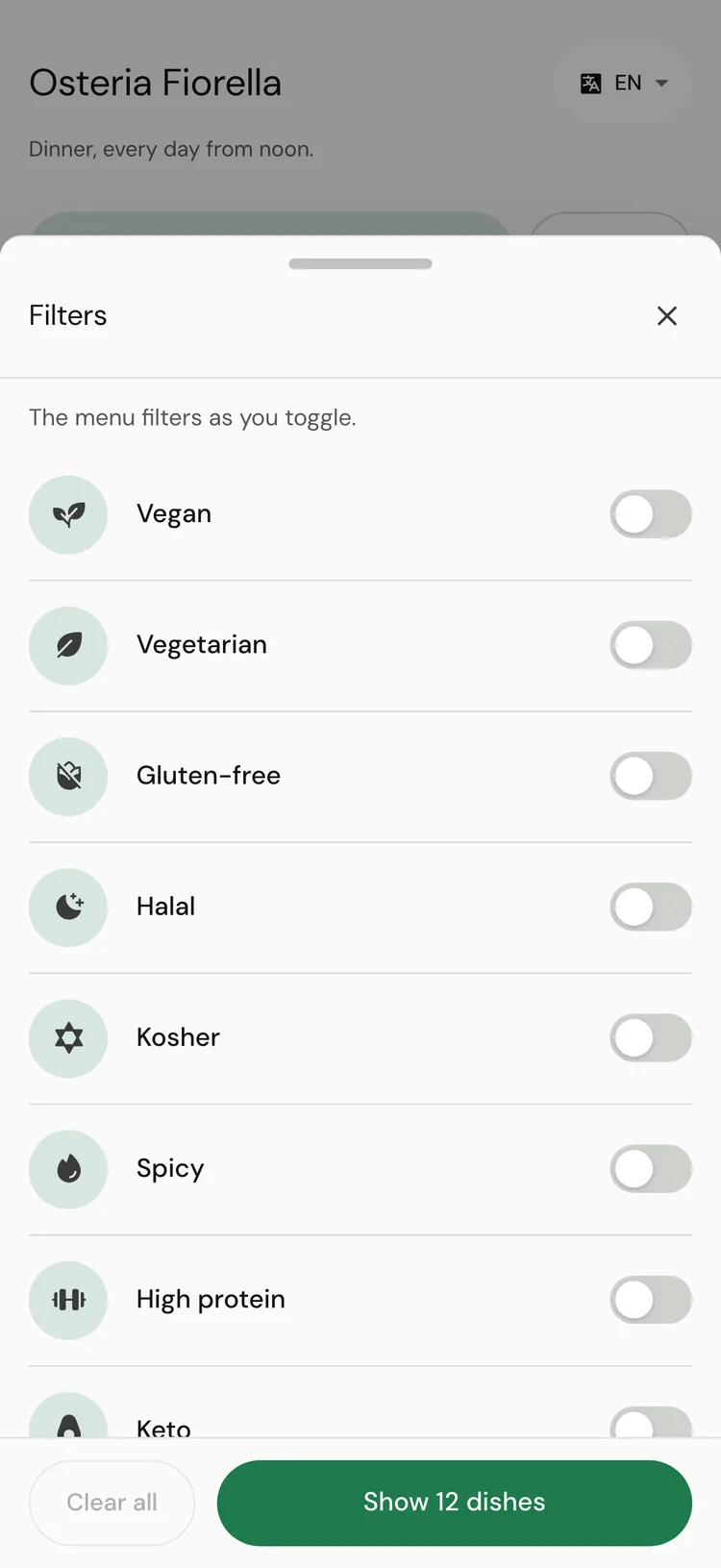
On the menu
Customers open Filters, pick the diets they want and the allergens to avoid, and the menu filters as they toggle. Every dish shows its tags, and opening a dish shows its full allergen and dietary detail, plus your Waiter's note if it has one.
Dietary tags10Allergens10Tags and allergens always show as words, never as colour alone, and in the customer's language.
In the chat
Customers can ask the AI waiter about any allergen or diet in their own words.
- The waiter answers only from the allergens and tags set on your dishes.
- When a customer mentions an allergy, a line stays at the top of the chat: Allergy noted: nuts, please confirm with staff.
- It can show Allergen-aware picks: dishes that do not list that allergen, with "ingredient lists aren't exhaustive. Please confirm with staff before ordering."
- It asks the customer to tell your staff about the allergy when they order.
- The customer can choose Remember my allergies on this phone for my next visit. Nothing is remembered unless they turn that on.
An allergy is always confirmed with your staff. If the waiter cannot confirm one, it hands the customer to your team. This is deliberate, and it depends on complete allergen data on your dishes.
On an order
When the menu takes orders (Pro), the order review has an Allergies field: "Tell us here and also tell your server. We pass your note to the team. We cannot promise a dish is free of any allergen." The note travels with the order to your team.
What makes it work
- Set allergens on every dish, not just the obvious ones. The test flags every dish it asks about that has none.
- Confirm the allergens tamr suggests from a dish's description. Until you confirm them, they are only suggestions.
- Use the dish's Waiter's note for kitchen knowledge, such as "fried in the same oil as shellfish".
- Keep dietary tags accurate so filters and recommendations stay trustworthy.
- Run the test: allergy questions count 3 times in the score. See test your AI waiter →.
FAQ
Where do these allergens and tags come from?
From what you set on each dish in the menu editor. See edit dishes →.
A customer said the waiter would not confirm their allergy. Is that a bug?
No. The waiter tells customers what your dish data says and asks them to confirm with staff. It never guarantees a dish is allergen-free.
Can customers hide dishes that contain an allergen?
Yes. Under Filters → Avoid allergens, and the waiter can show allergen-aware picks in the chat.
Related
Last reviewed October 14, 2026