
Add sections and a popup to your menu
Every home section, the promotional banner, the popup and where feedback lives.
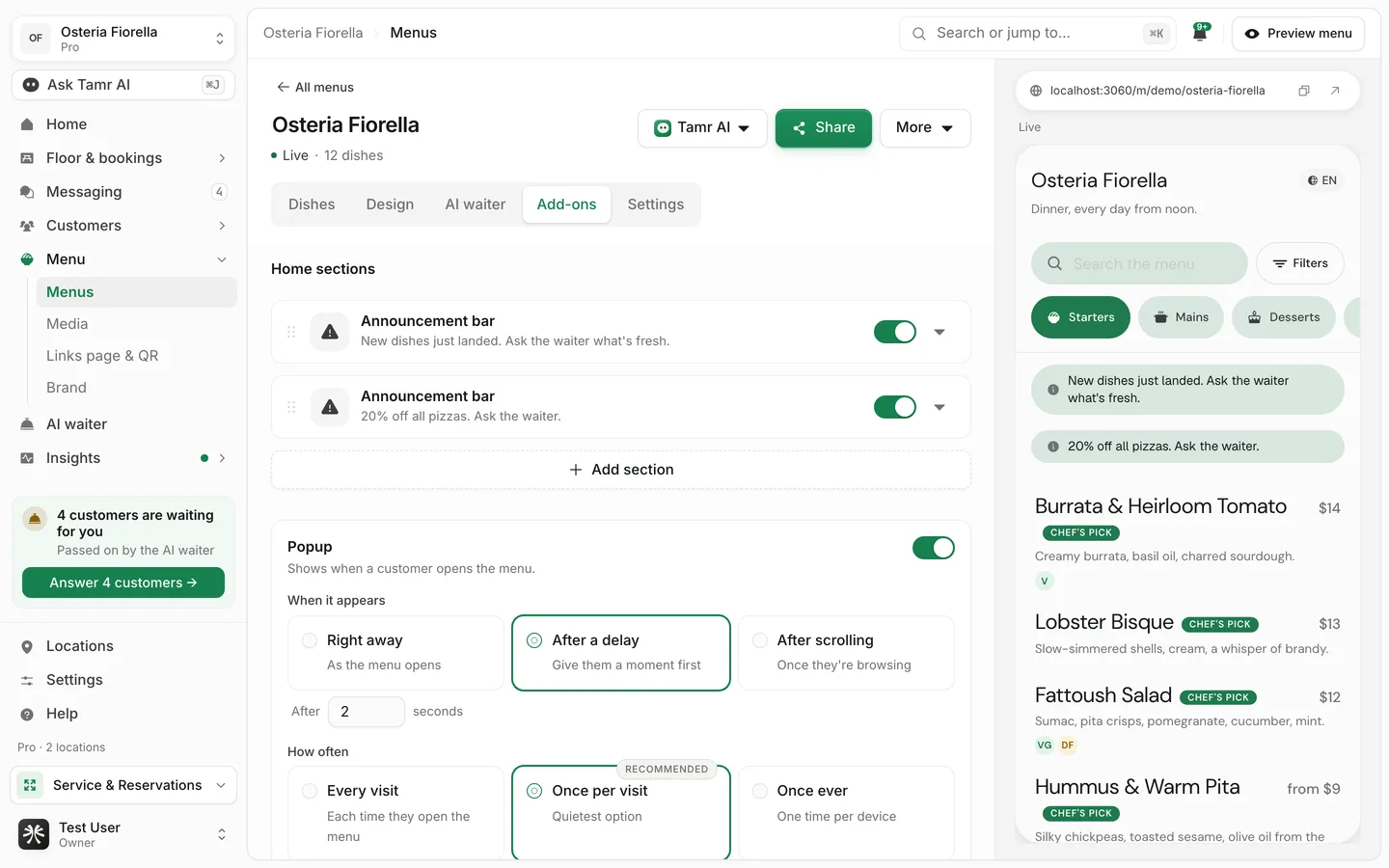
The Add-ons tab adds blocks to your menu's home, above the dishes, and a popup that appears over the menu. Each block shows on the phone preview as you edit it.
Add a home section
- 1Open the gallery
Under Home sections, select Add section. A gallery shows every section with a small drawing of how it looks.
- 2Pick a section
Select one. Its card drops onto the list, already open for editing.
- 3Edit, switch and reorder
Each card has a switch to show or hide it (a hidden section keeps its settings) and a handle to drag it into place. The arrow expands the card to edit it.
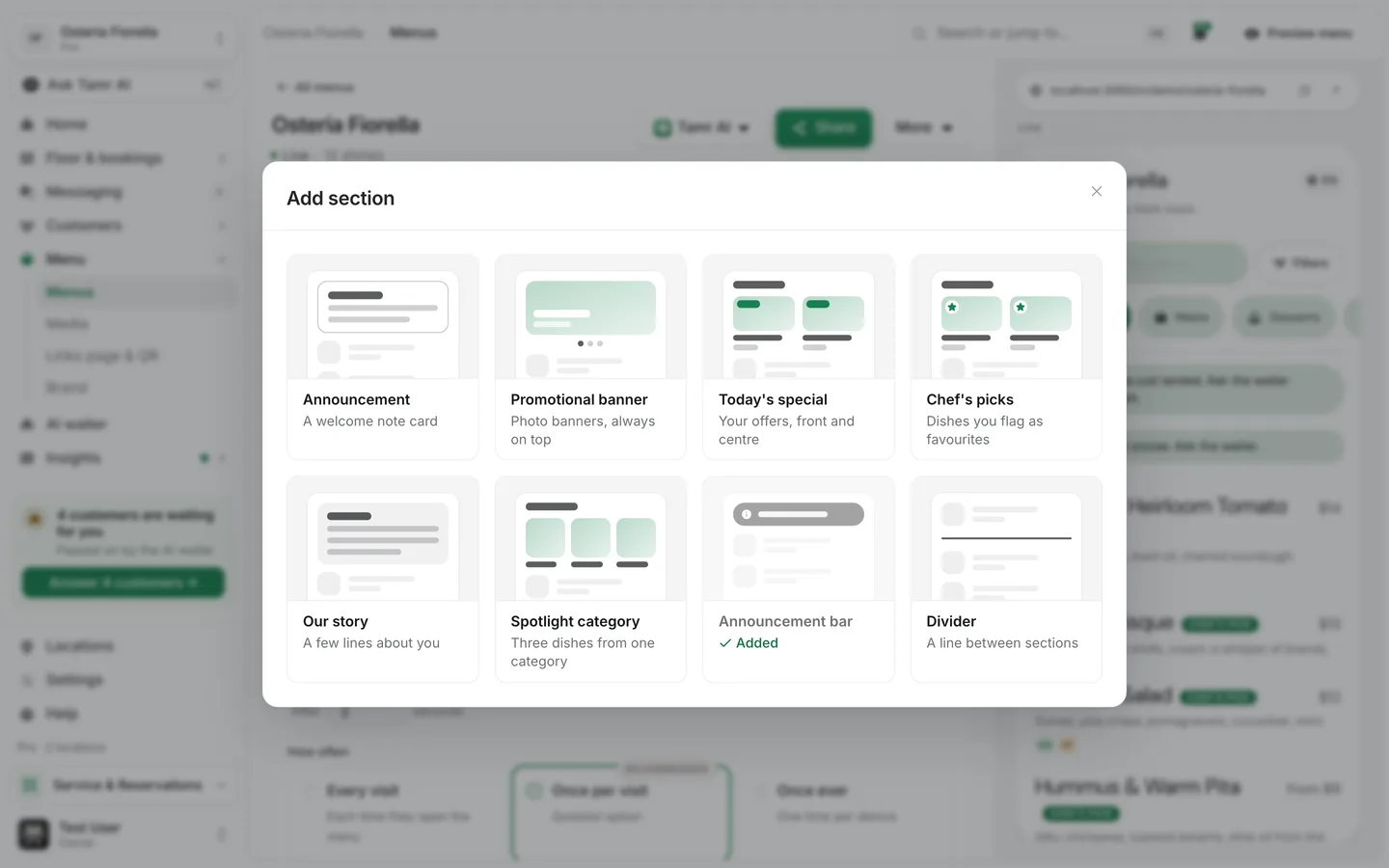
A menu can hold up to 12 sections. Most sections can be added once; Divider can be added as often as you like.
The sections
AnnouncementoncePromotional bannerPro · onceToday's specialonceChef's picksonceOur storyonceSpotlight categoryonceAnnouncement baronceDividerrepeatableChef's picks and Today's special show data you already keep: dishes marked as Tonight's pick, and specials on your AI waiter. Set those up and the sections fill in. See chat cards and specials →.
Set up the popup
The popup appears over the menu when a customer opens it. It waits behind anything already open, such as the chat or a dish, so it never interrupts.
The popup and the promotional banner are part of Pro. On Free the popup shows a preview with Get Pro. A popup that is already live stays editable on any plan, so you can switch it off.
When it appearschoiceHow oftenchoiceHow it appearschoiceScheduleoptionalSlideslistLimited offerslideA popup every visit gets ignored fast. Keep it for a launch, an event or a limited offer, and leave it on Once per visit.
Ask for feedback
Feedback is not a home section. Turn the feedback card on under Settings → Feedback in the menu editor, where you also see what customers sent. See feedback →.
FAQ
Why can't I drag the promotional banner?
The banner is always first on the menu, so it stays pinned at the top whatever the list order.
Spotlight category is greyed out.
It needs at least one category on the menu. Add one on the Dishes tab first.
Does hiding a section delete it?
No. Switch it off to hide it from customers; its settings stay. Remove it from the card to delete it.
Related
Last reviewed October 14, 2026