
Set how your AI waiter talks
The How it talks section of the editor, field by field, and how changes reach customers.
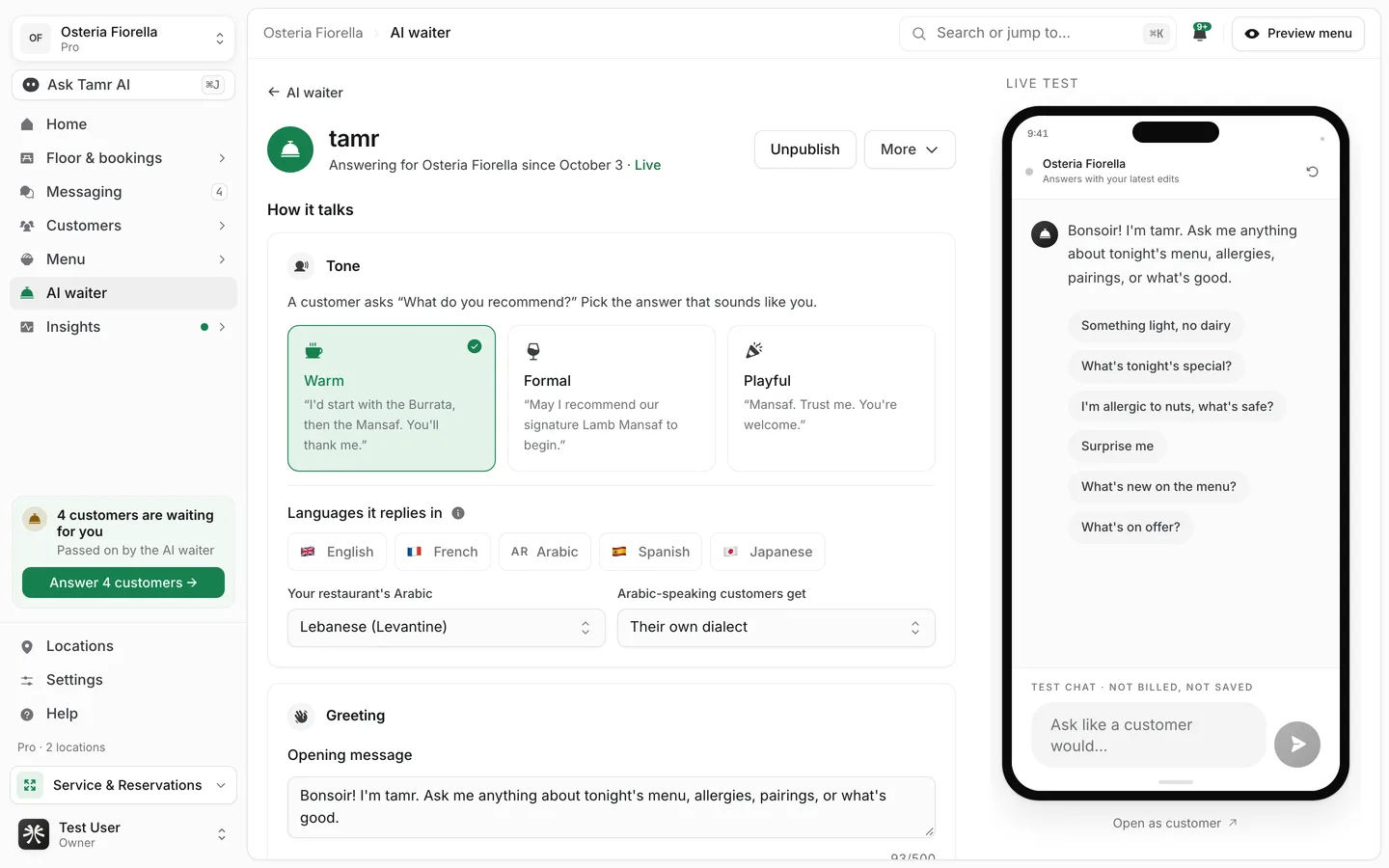
How it talks is the first section of the AI waiter editor. It sets the waiter's voice: the tone, the languages, how it speaks Arabic, and the first thing a customer sees in the chat. Open it from the AI waiter page with How it talks, or with Edit.
Choose a tone
The Tone card asks one question: a customer asks "What do you recommend?" Pick the answer that sounds like you.
WarmdefaultFormalpolishedPlayfulenergeticChoose the languages it replies in
Under Languages it replies in, switch languages on or off: English, French, Arabic, Spanish and Japanese.
- With none picked, the waiter replies in whatever language the customer writes in. This is the default and suits most restaurants.
- With one or more picked, it replies only in those.
Set its Arabic
These two settings appear when Arabic is possible: no language restriction, or Arabic switched on.
Your restaurant's Arabicdefault LebaneseArabic-speaking customers getdefault own dialectWrite the greeting and the questions customers can tap
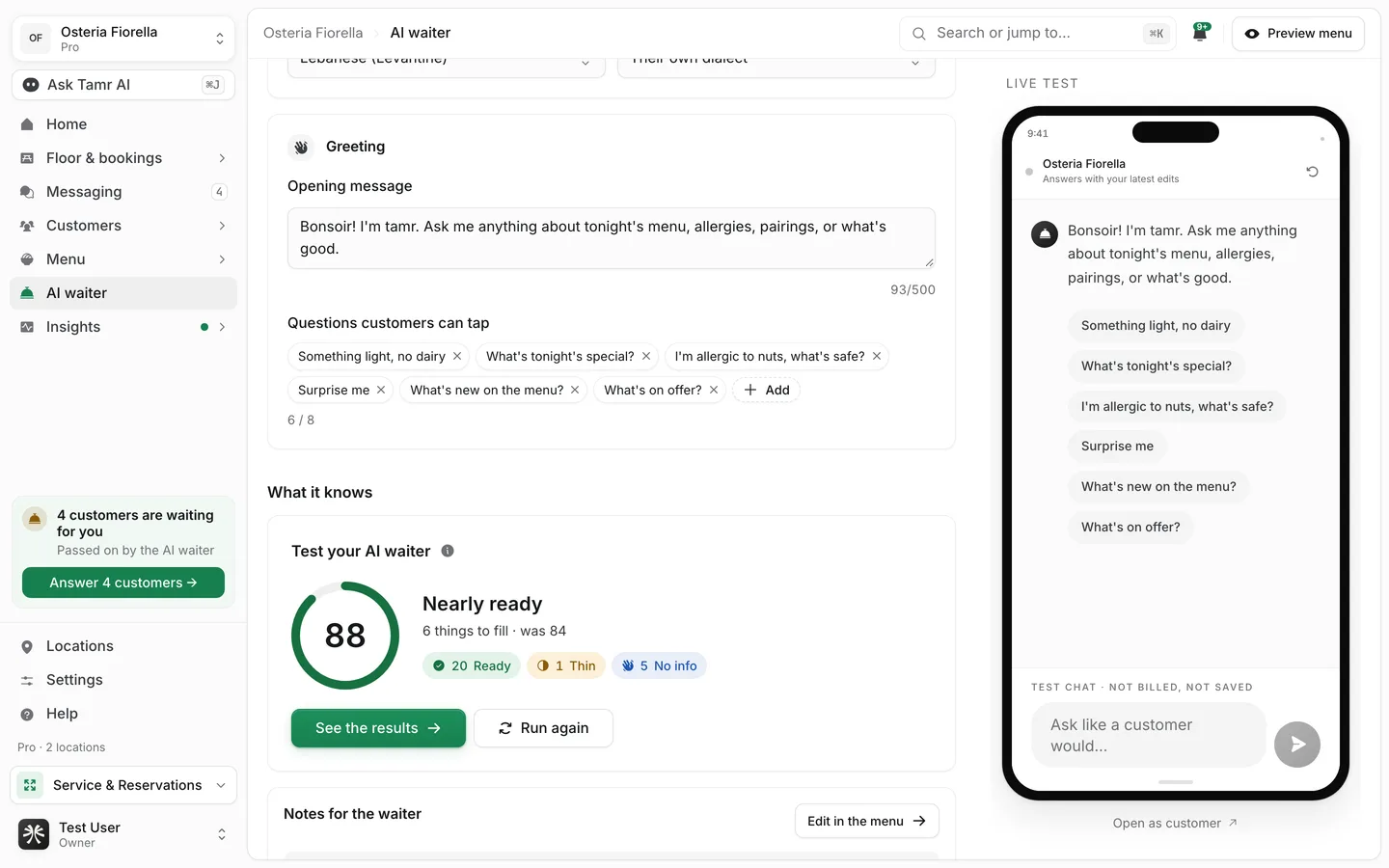
Opening message500 charactersQuestions customers can tapup to 8Customers see your starter questions in the words you typed. If you remove them all, the chat shows tamr's built-in suggestions, translated into the customer's language.
How changes reach customers
Every field saves as you type. On a live waiter, your edits are held as changes until you publish them, so customers keep the current waiter meanwhile.
- 1Edit and try it
The heading shows Unpublished changes. The chat preview on the right already answers with them.
- 2Publish or discard
Select Publish changes to make them live, or Discard to drop them.
FAQ
Do customers see the tone name or the profile name?
Neither. Customers see "the AI waiter" and its replies. The tone shows only in how it writes.
A customer wrote in a language I did not pick. What happens?
The waiter replies in one of the languages you picked. With none picked, it replies in the customer's language.
Why don't I see the Arabic settings?
They only appear when the waiter can speak Arabic. Clear the language restriction or switch Arabic on.
Does the waiter's language follow the menu's languages?
No, they are separate. The menu's languages decide what customers can read; this setting decides what the waiter replies in. See languages →.
Related
Last reviewed October 14, 2026