Publish and your QR code
Take a menu live, set its link, and download print-ready QR codes.
Customers only ever see published menus. While a menu is in draft, you can work on it privately. When it is ready, publish it, attach a waiter, and share the QR.
Menu status
A menu is always in one of three states:
- Draft. Yours to edit. Not visible to customers.
- Published. Live. Customers can scan and open it.
- Archived. Hidden from your active list. Not visible to customers. You can restore it to draft any time.
Publish, unpublish, archive, and restore from the menu's more menu or the Share tab. Nothing is deleted when you unpublish or archive.
A published menu updates within about 30 seconds of an edit. If a customer still sees an old version after that, a refresh fixes it. Always confirm your latest edits are published, not sitting in draft.
Your menu link
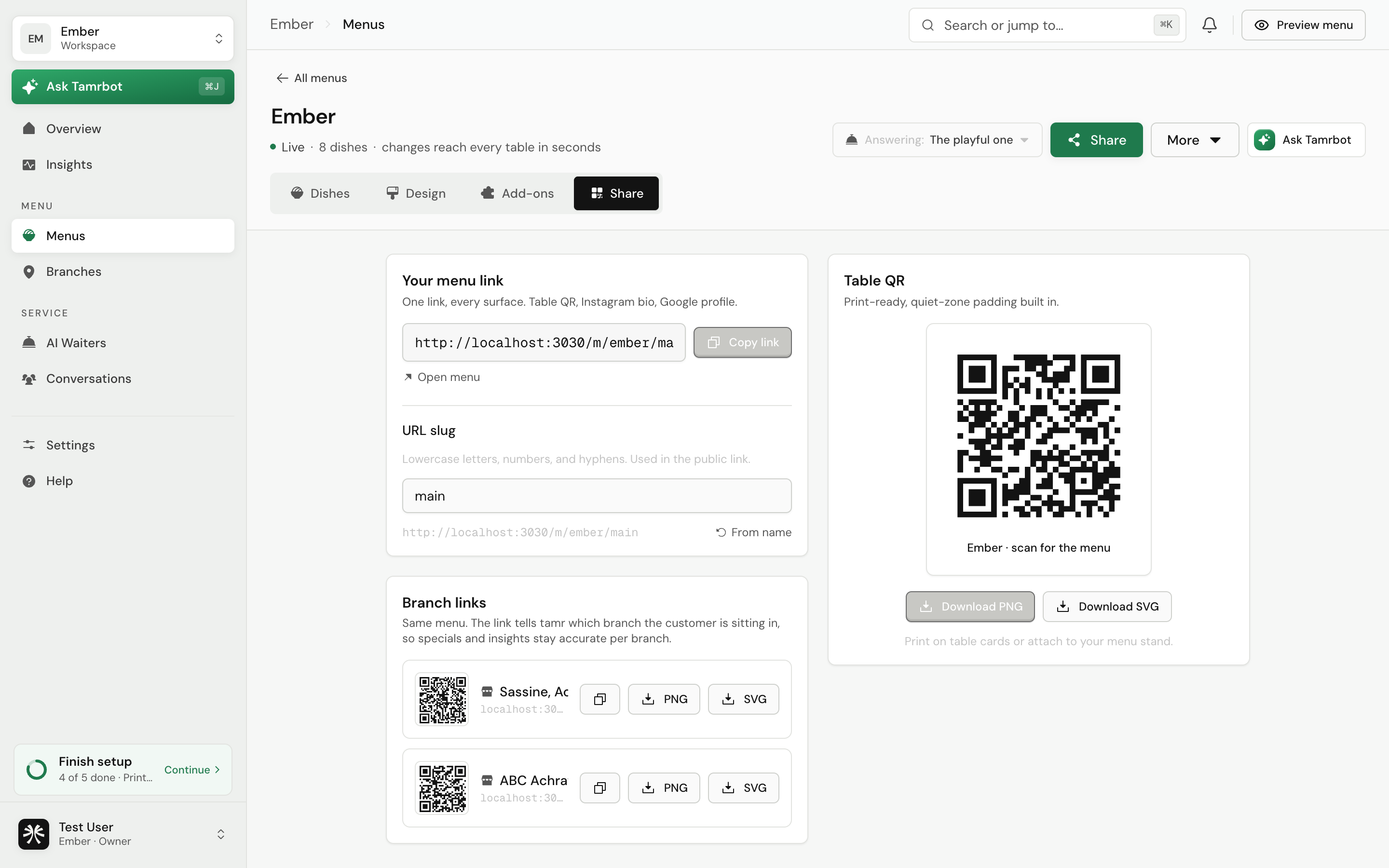
The Share tab holds your public link and QR codes. You can set the menu's slug, the readable end of the link (lowercase letters, numbers, and hyphens). One link works everywhere: the table QR, your Instagram bio, your Google profile.
Your menu is reachable at your restaurant's tamr address. If you have not set your restaurant's URL yet, tamr prompts you to do that first in organization settings, since the menu link is built from it.
Table QR code
The Share tab generates a print-ready QR code with the quiet-zone padding printers need. Download it as a PNG or a vector SVG, both high resolution. Copy the link with one tap.
Per-branch links
If you run more than one location, each branch gets its own version of the same menu link. The link tells tamr which branch the customer is sitting in, so specials and insights stay accurate per location. Each branch row on the Share tab has its own QR code and copy or download buttons. No branches yet? Add one under Locations → and it shows up here.
A published menu with no waiter attached is just a menu, it cannot answer questions. Attach your waiter first so the QR goes live with chat working. See attach and publish →.
Last reviewed July 15, 2026