
Find your way around the dashboard
Every sidebar row and what it holds, Ask Tamr AI with ⌘J, search with ⌘K, Service & Reservations, the Help menu, Pro marks, and the dashboard on a phone.
The dashboard is laid out down the left side in the order a restaurant thinks about its day: what is happening now, who wrote in, who your customers are, then the menu, the AI waiter and the numbers. This page walks through each part.
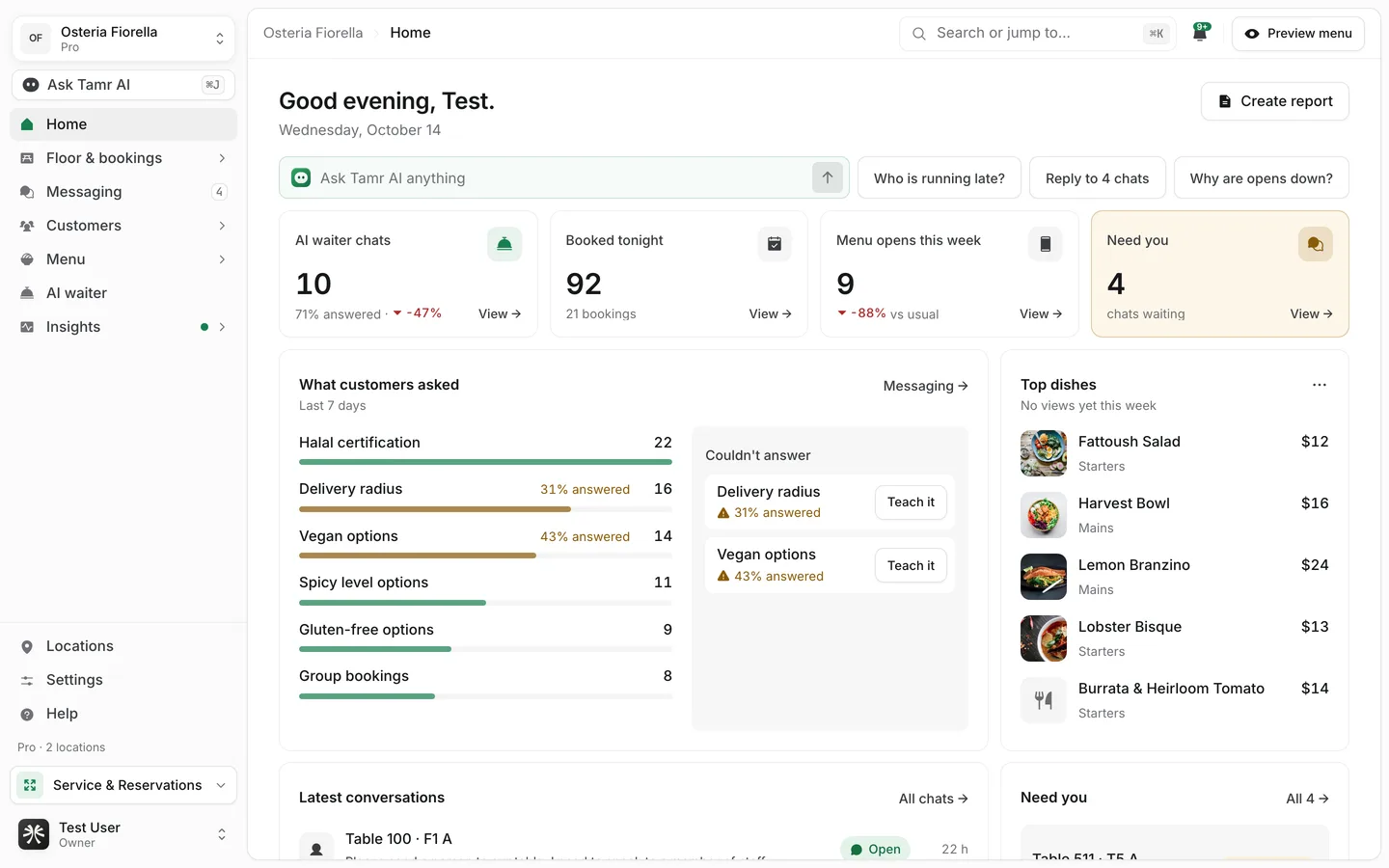
The sidebar
At the top, the restaurant switcher shows your restaurant and plan. Open it to switch restaurants or Add restaurant. Under it, Ask Tamr AI opens the full assistant page.
A row with a › holds several pages. Select it to go to its first page; the others are listed under it while you are inside.
Homeyour dayFloor & bookings4 pagesMessagingchatsCustomers4 pagesMenu4 pagesAI waiterone pageInsightsreportsThe foot of the sidebar holds Locations, Settings and Help, a line with your plan and number of locations, Service & Reservations, and your account menu (your name and role), which holds Account settings and sign-out.
While you are setting up, a card above Locations shows your next Kickoff step with Open kickoff.
Pro marks
On Free, Pro pages keep their place in the sidebar with a small Pro mark. Opening one shows the page blurred behind a card that says what it does, with Get Pro. A Free restaurant also sees Upgrade to Pro at the foot of the sidebar. See Core concepts →.
The top bar
Breadcrumbwhere you areSearch or jump to…⌘KBellalertsPreview menubutton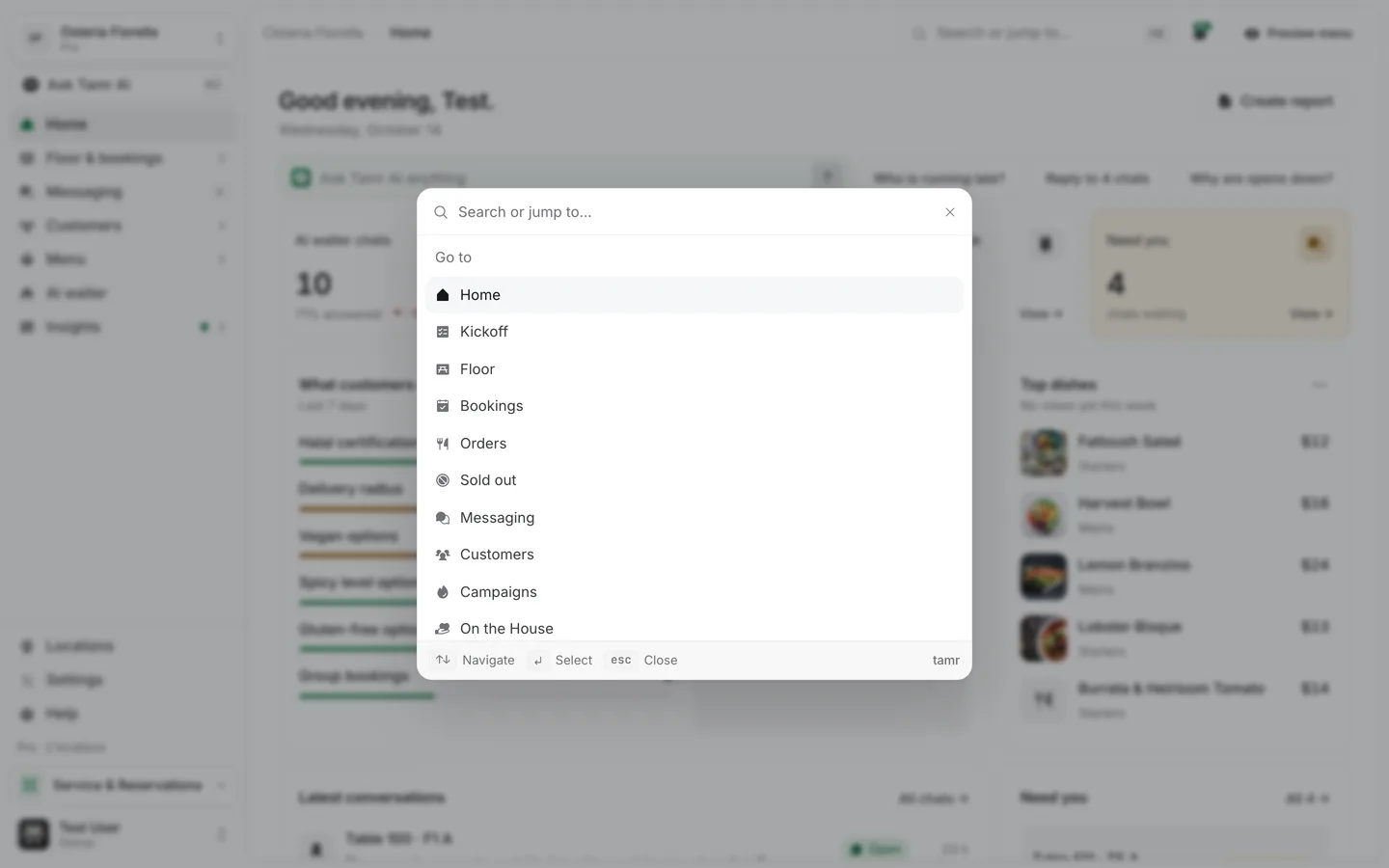
Ask Tamr AI from anywhere
Ask Tamr AI in the sidebar opens the full assistant page with your saved chats. To ask without leaving the page you are on, press ⌘J (Ctrl J on Windows): a quick Ask Tamr AI window opens and knows which page you were on. See Ask Tamr AI →.
Service & Reservations
Service & Reservations at the foot of the sidebar opens a small menu with two full-screen apps, made for a tablet.
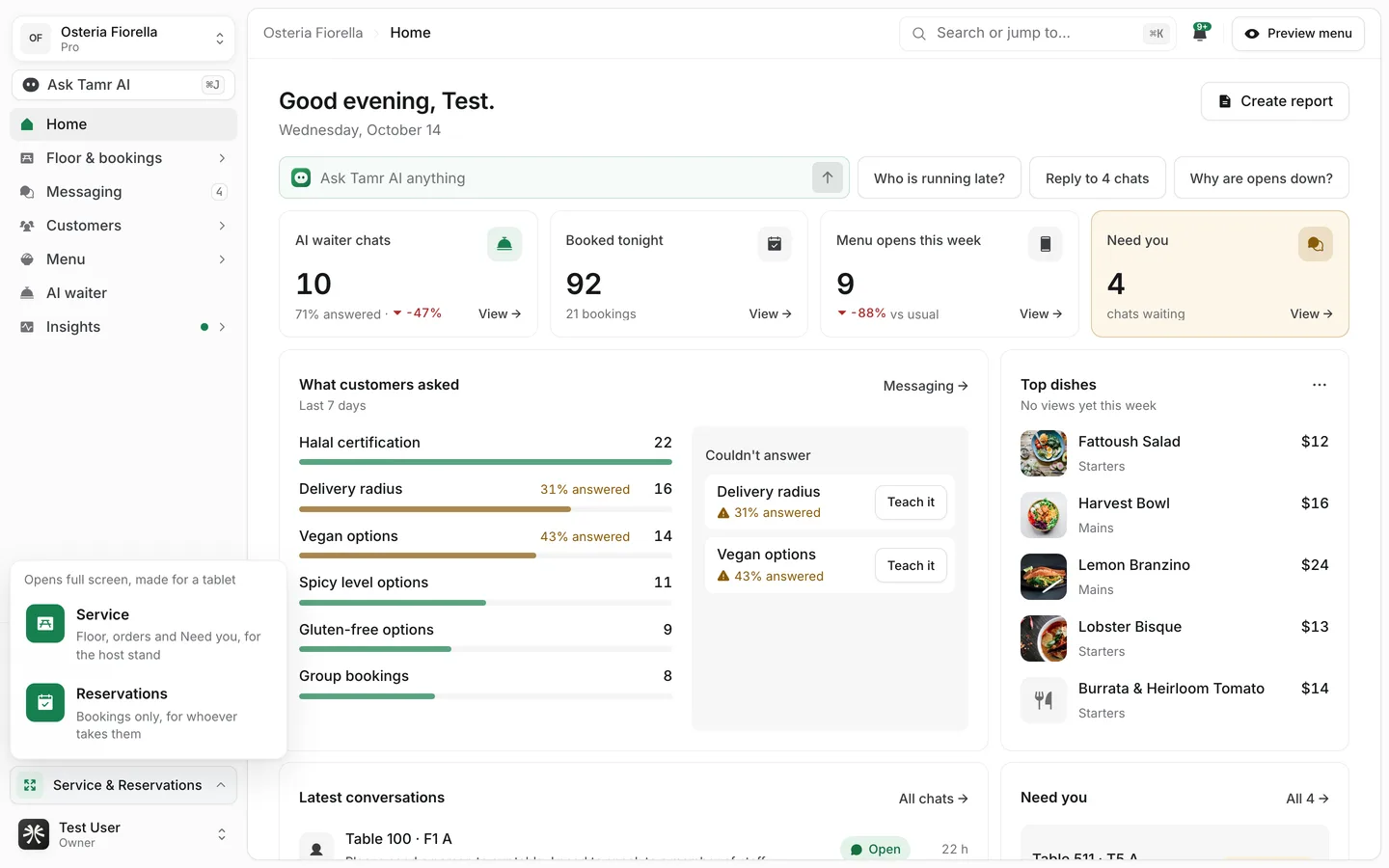
ServiceProReservationsProSee Service mode → and The Reservations app →.
The Help menu
Help in the sidebar opens a short menu.
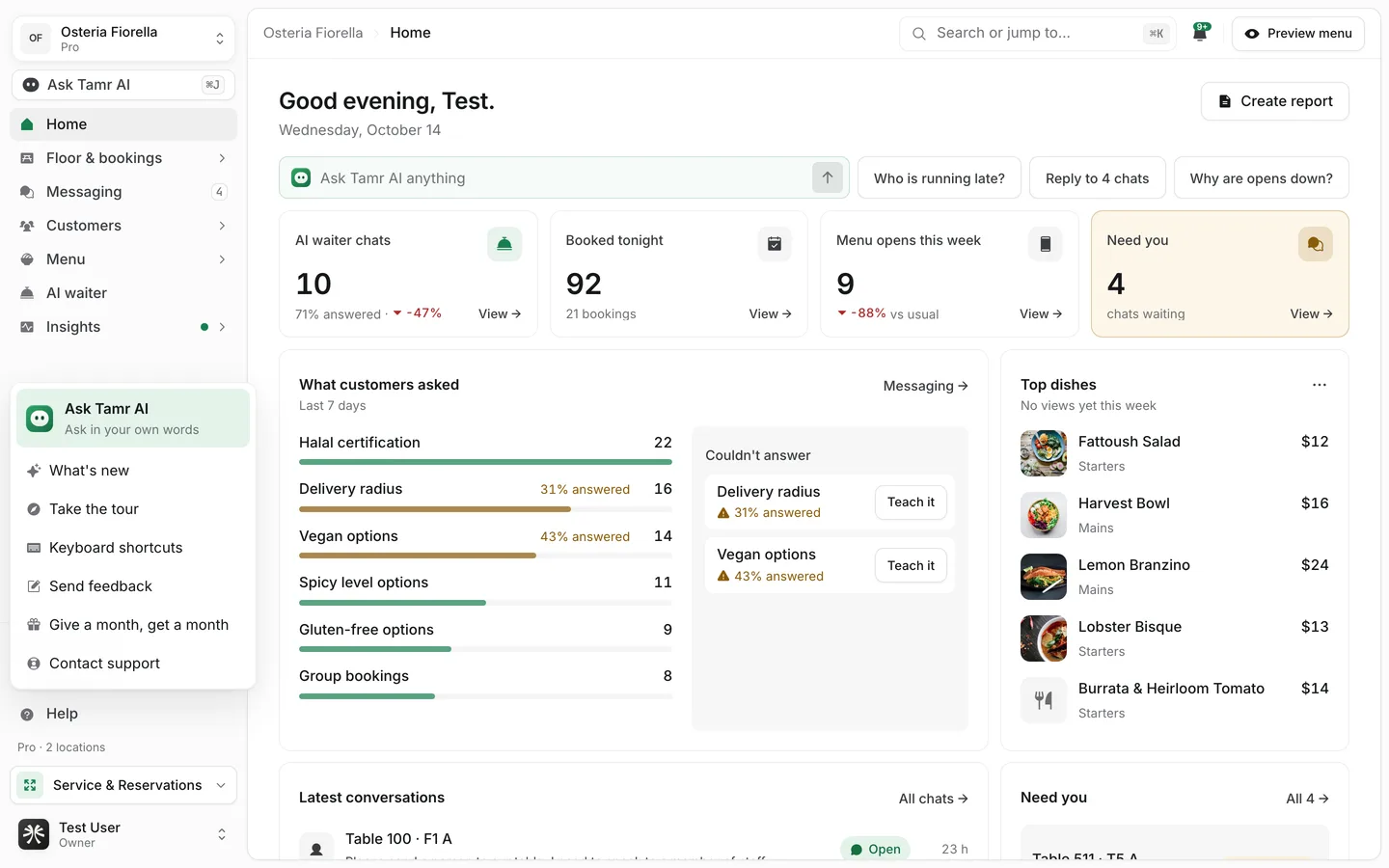
Ask Tamr AIassistantWhat's newchangelogTake the tourfilmKeyboard shortcutslistSend feedbackformGive a month, get a monthreferralsContact supporthelpKeyboard shortcuts
| Shortcut | What it does |
|---|---|
| ⌘K / Ctrl K | Search or jump to anything |
| ⌘J / Ctrl J | Ask Tamr AI |
| Esc | Close what is open |
On a phone
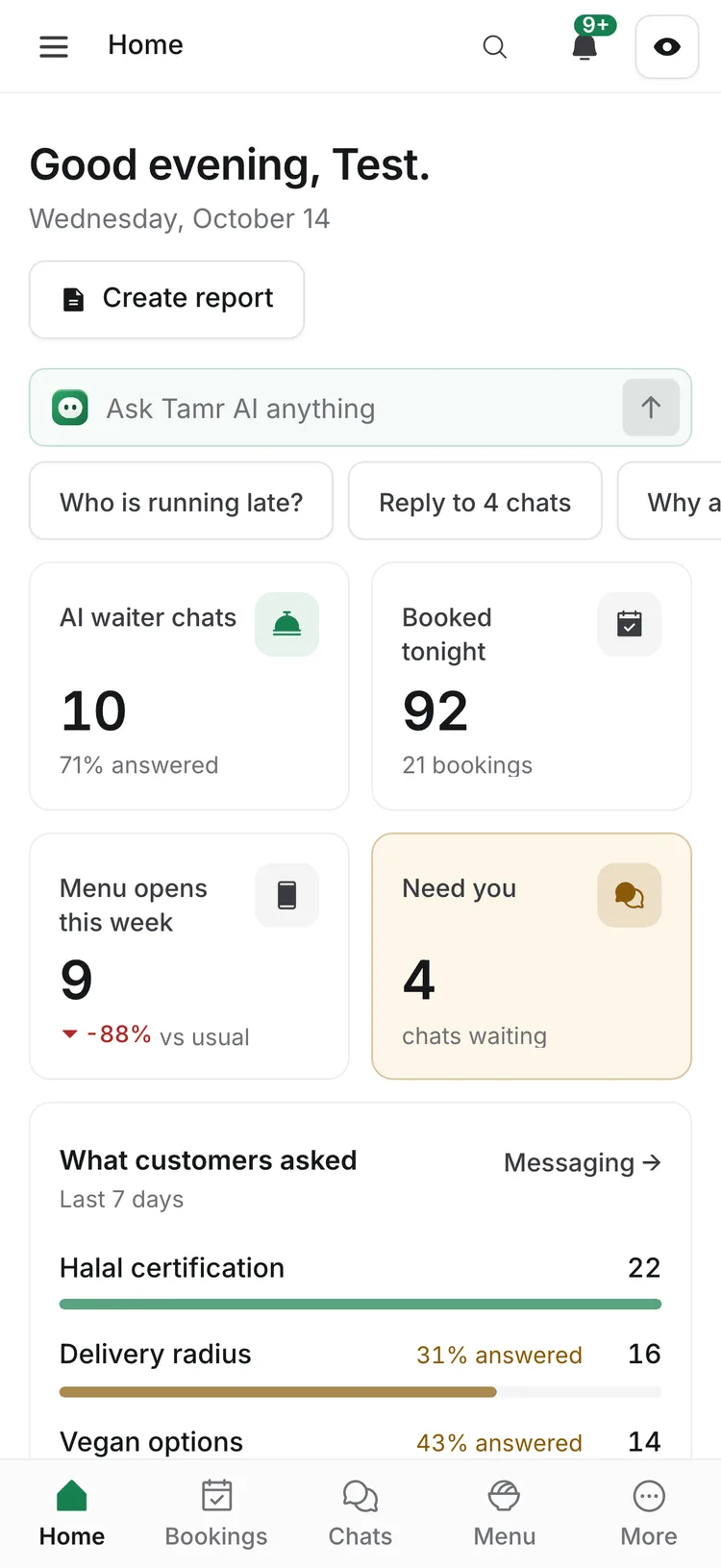
On a phone the sidebar folds away. A tab bar at the bottom holds Home, Bookings, Chats (Messaging), Menu and More, which opens the full sidebar. The top bar keeps search, the bell and the preview button.
FAQ
Where did Overview, Branches and Conversations go?
They were renamed: Overview is Home, Branches is Locations, and Conversations is Messaging. Old links still work.
Where do I change my password?
In your account menu at the foot of the sidebar, open Account settings, then Security. See Sign in and keep your account safe →.
Why can't I see Settings → Plan?
Plan and billing are for owners and admins. See Team and roles →.
Related
Last reviewed October 14, 2026