
Collect and read customer feedback
Turning feedback on per menu, the questions on the card, the AI waiter asking at the end of a chat, and reading results by source and location.
Feedback collects ratings and comments from your customers, from a card on your menu and from the AI waiter. Turn it on per menu, then read the answers on the Feedback page under Customers → Feedback.
The comment card and the Feedback page are part of Pro. On Free the page opens to a preview with Get Pro.
Turn on feedback for a menu
The questions belong to a menu, so you set them up in the menu editor. On the Feedback page, How you ask takes you there.
- 1Open the menu's feedback settings
Select How you ask on the Feedback page, or open the menu and go to its feedback settings.
- 2Switch it on
Under Ask for feedback, switch on Ask customers for feedback. Everything else follows this one switch.
- 3Set the card
Give the card a Card title (up to 120 characters; the default is "How was everything?") and edit the questions. The card starts with a star rating and "Anything we should know?". A card holds 1 to 8 questions: star ratings, comment questions and choice questions, each Required or Optional.
Choose how customers are asked
A card on the menualways onThe AI waiter asksswitchAfter they leavenot availableRead the results
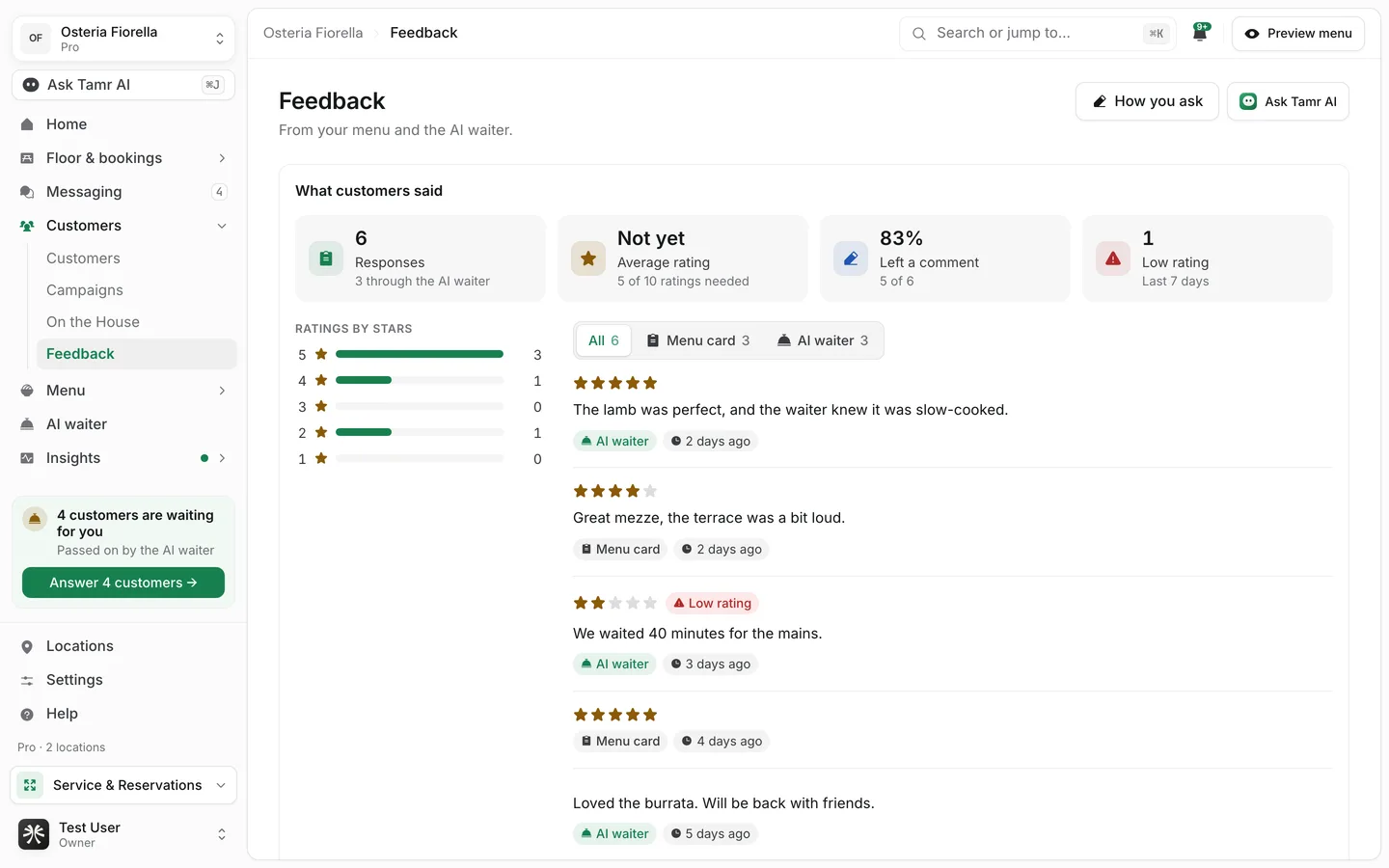
Open Customers → Feedback. If you have more than one menu, pick one at the top right; each menu's answers are read on their own.
ResponsescountAverage ratingstarsLeft a commentshareLow ratingslast 7 daysBelow the totals, What customers said lists each response, newest first, with Ratings by stars beside it. Narrow the list with:
- Show feedback from: All, Menu card or AI waiter, each with its count.
- Location: All locations or one location.
Dish reviews
Menus on the Cards design can also let customers review each dish. Switch it on under Reviews on each dish in the menu's feedback settings. The reviews then appear on the Feedback page under Dish reviews.
FAQ
Does the AI waiter ask every customer?
It asks once, at the end of a chat, and only when The AI waiter asks is on for that menu.
Can tamr send a feedback message after the visit?
Not yet. That needs WhatsApp connected for sending, so After they leave shows as not available.
Why does the page show only one menu?
Feedback is collected per menu. Use the menu picker at the top right to switch.
Related
Last reviewed October 14, 2026