
Test your AI waiter
How the test works, the 26 questions, how the score is weighted, the results page, and where your answers are saved.
Test your AI waiter asks your waiter the questions customers ask most, built from your own dishes, grades every answer against your menu, and lists what to fill in. Run it after you publish a menu, and again whenever you change it.
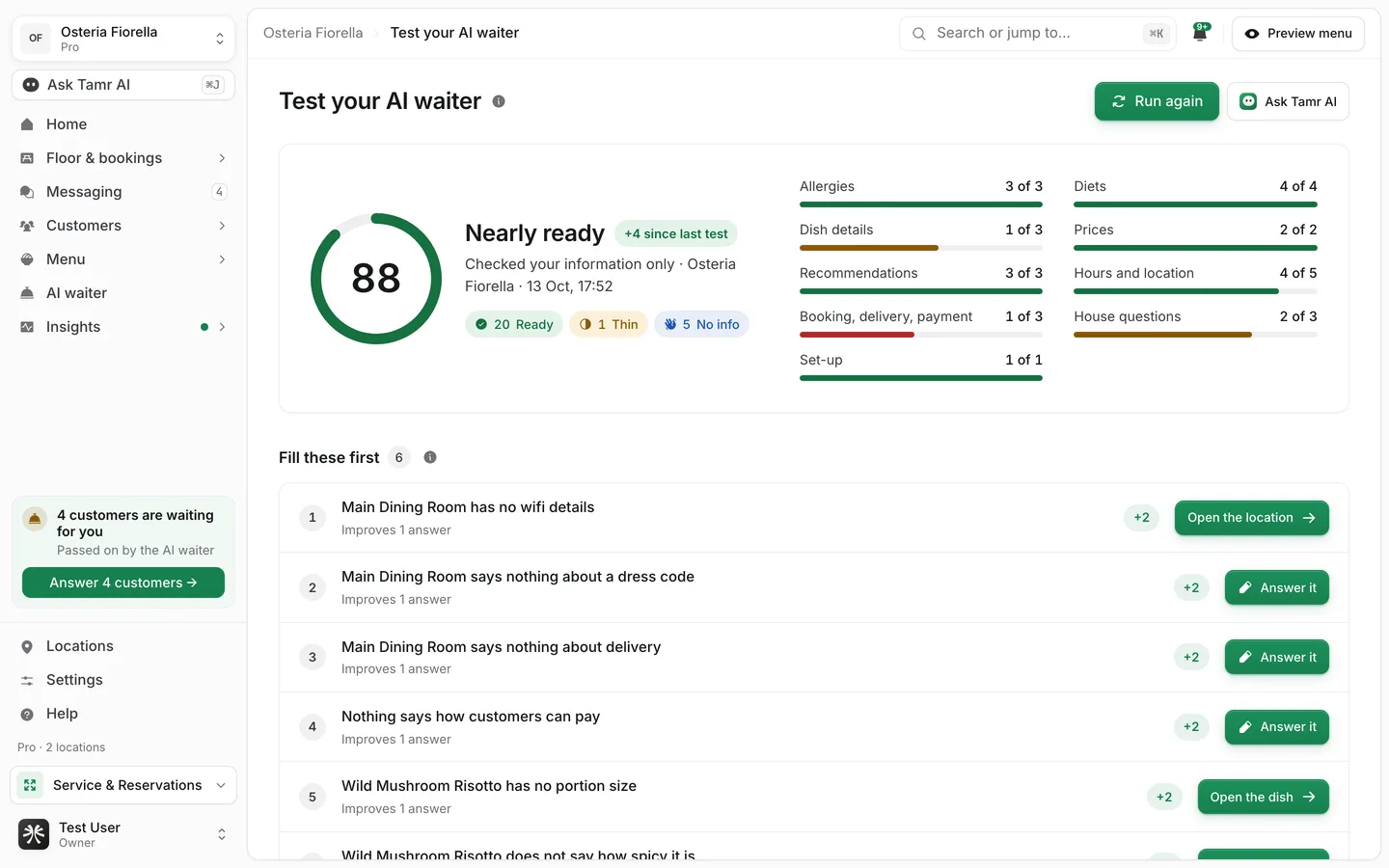
Run the test
The test card is on the AI waiter page, in the editor under What it knows, and on the menu editor's AI waiter tab.
- 1Select Run the test
The ring fills as it goes, with Question 1 of 26 and so on. It takes a minute or two.
- 2Read the score
The card shows the score out of 100, a word for it, and how many things there are to fill.
- 3Open the results
Select See the results for the full page: the gaps, every question and answer, and your set-up checks.
- 4Fill the gaps and run it again
Select Run again after you fill a few gaps. The card shows the new score next to the old one, for example was 64.
The test asks the published waiter. If you have unpublished changes in the editor, the results say This tests what customers see now. You have unpublished changes. Publish them first to test them.
What it asks
The test asks 26 questions, filled with this menu's dishes ("Does the Lamb Mansaf contain nuts?"). It picks food before drinks and your chef's picks first, and it asks about the same dishes each time, so the score moves only when your information does.
| Group | Questions | Examples |
|---|---|---|
| Allergies | 3 | Does the … contain nuts? I have a gluten allergy, can I have the …? What allergens are in the …? |
| Diets | 4 | Vegan, vegetarian, halal, gluten-free options |
| Dish details | 3 | What is in the …? How spicy is the …? Is the … big enough to share? |
| Prices | 2 | How much is the …? What comes with the …? |
| Recommendations | 3 | Something light, something for kids, what to order for two |
| Hours and location | 5 | Closing time, address, parking, wifi, phone number |
| Booking, delivery, payment | 3 | Booking a table, delivery, paying by card |
| House questions | 3 | High chairs, dress code, a dish you do not serve |
Location questions are asked as a customer at one of the menu's locations. The info mark beside the question list names which one.
How the score works
Every answer gets one of four verdicts, worth part of a point.
Good1 pointVague0.5 pointSent to staff0.2 pointWrong0 pointsSome questions weigh more, because a wrong answer costs more:
- Allergy questions count 3 times.
- Diet questions count 2 times.
- Every other question counts once.
- Set-up problems on this menu, such as no waiter attached or a live menu served at no location, count too: 3 times for critical ones, 2 times for the rest.
The score is the share of the possible points you earned, out of 100.
Ready90 to 100Nearly ready80 to 89Some gaps55 to 79Not ready yetbelow 55Fill the gaps
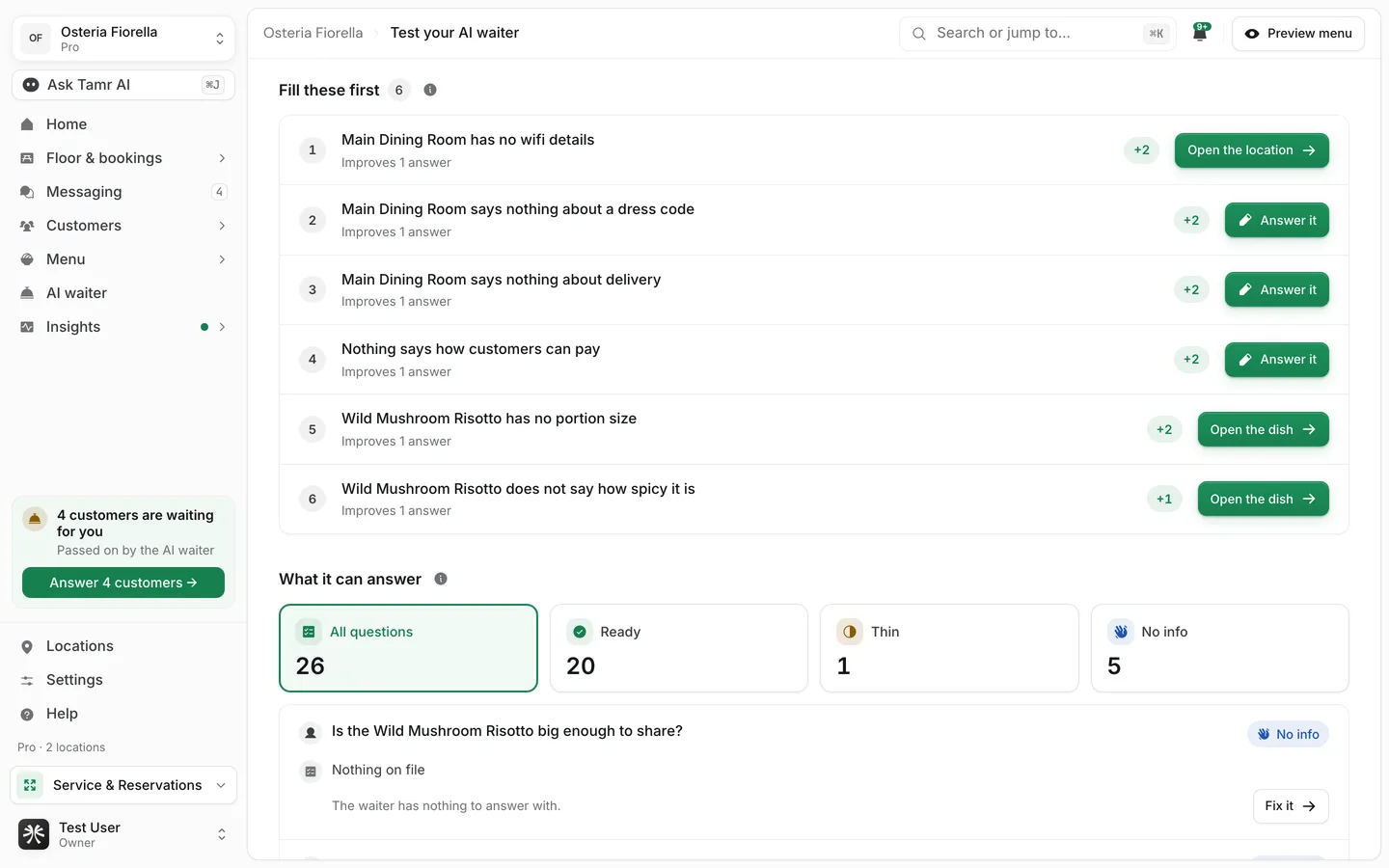
Fill these first lists one row per fix, with how many answers it improves and a chip such as +2 for the most it can add to your score. Each row has one of two actions.
Open the dish, location or notesbuttonAnswer itboxUnder What it answered (What it can answer after an information check), every question is listed with its verdict. Filter by verdict and turn on Show answers to read exactly what the waiter said. Rows with a gap have the same fix button.
Your notes for each menu
Some things belong to a whole menu, not to one dish: when the kitchen closes, what to push, what you never do. Write them in the menu editor's AI waiter tab.
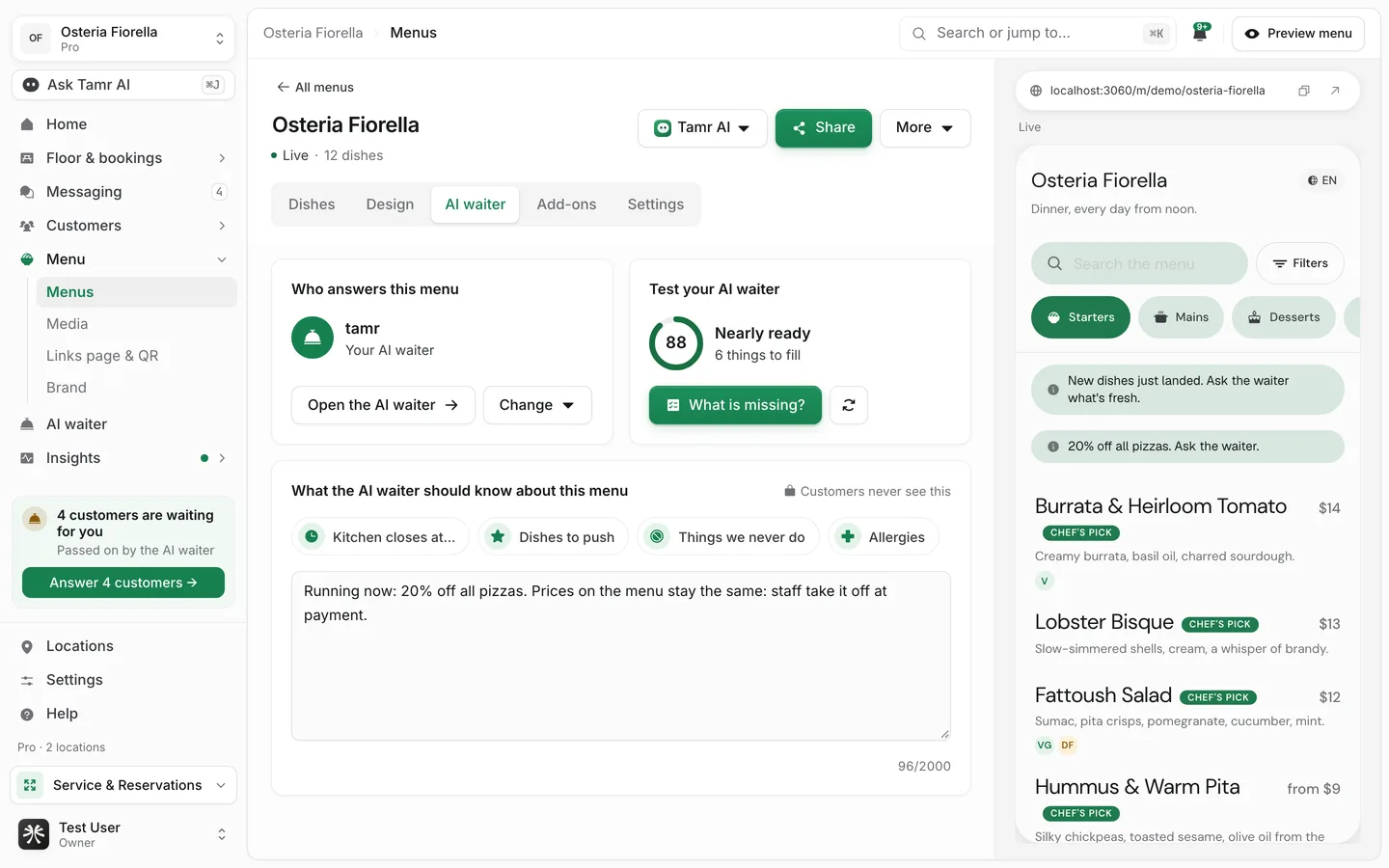
Who answers this menucardWhat the AI waiter should know about this menu2,000 charactersThe AI waiter page shows these notes read only, under What it knows, with a link back to the menu.
Everyone on your team can open the results. Running the test, and typing answers, is for owners and admins.
FAQ
Does the test reach customers or count toward fair use?
No. It runs in a private test chat. Nothing is saved to Messaging or Insights, and it is not counted toward fair use.
Why can't I run it again right away?
After a test, the next one opens 2 minutes later. Hover the button to see when.
The results say Checked your information only. What does that mean?
The waiter could not be asked, usually because no waiter is attached to the menu. The test then checks what the waiter has on file for each question instead, with the verdicts Ready, Thin, No info and Needs fixing. Attach a waiter and run it again for a full test.
I have several menus. Which one is tested?
The AI waiter page tests the menu it answers on. On the results page, pick another menu from the menu list at the top.
Why does a wrong allergy answer drop the score so much?
Allergy questions count 3 times, because a wrong allergy answer is the most expensive mistake a waiter can make.
Related
Last reviewed October 14, 2026