
Work the live floor
Who is at each table right now, who is expected, and how to seat them.
The live floor is your floor plan with the room drawn on it: which tables are taken, who is waiting for your team, and which bookings are due. Open it from Floor & bookings → Floor in the dashboard, or Floor in the Service dock.
The live floor is part of Pro. On Free, Floor shows a preview with Get Pro. It also needs a floor plan for the location: see Draw your floor plan.
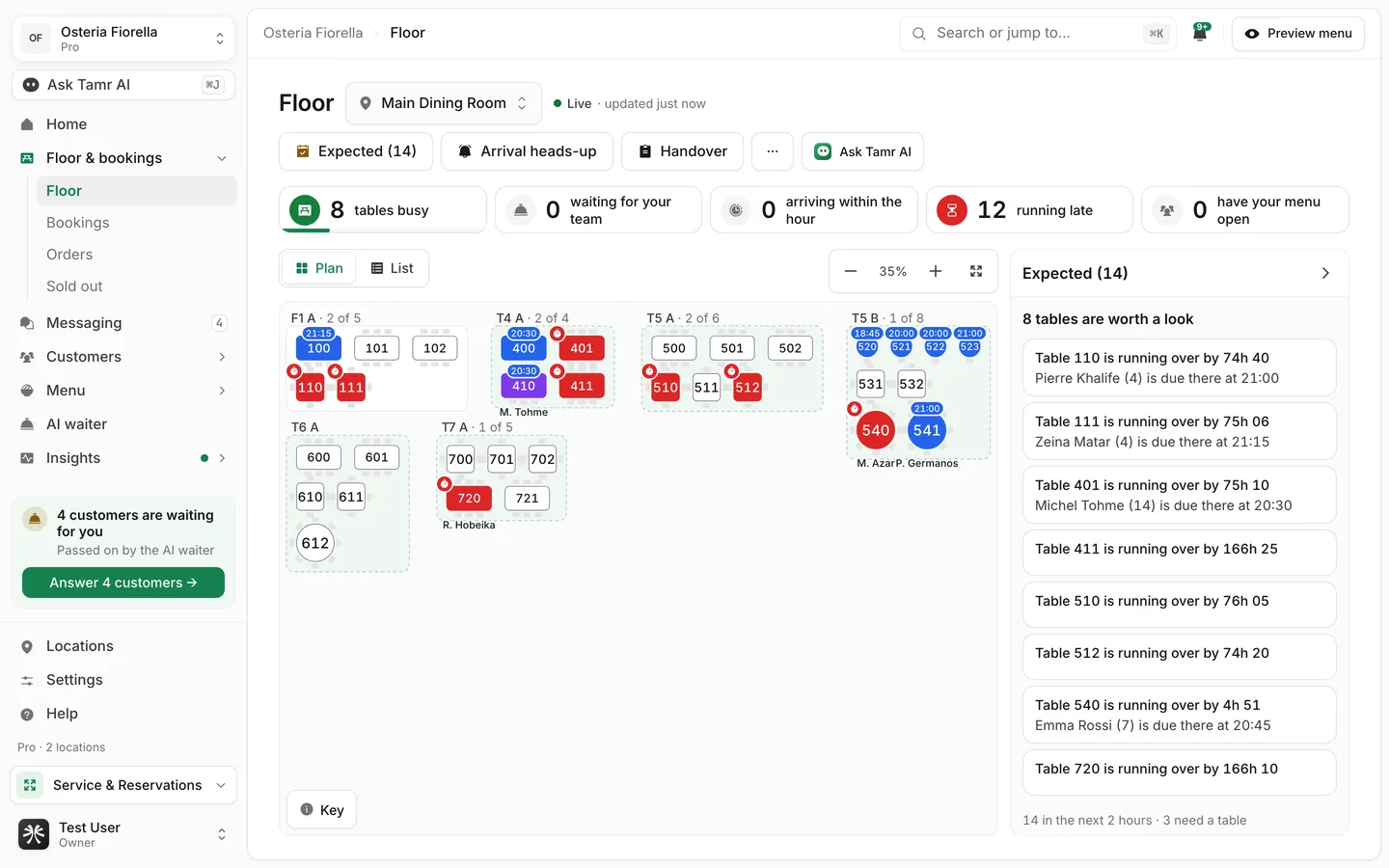
Read the floor
LocationswitcherLivestatusCountersstripPlan / ListviewExpectedpanelKeybuttonEach zone shows how many of its tables are taken ("2 of 5"). A small time above a table is its next booking. The colours are explained in Read the colours.
How tamr knows a table is taken
A customer is one phone. A table is known only when the menu was opened from that table's printed code. Nobody tells tamr a party has left, so a table fades as its phones go quiet and frees itself 30 minutes after the last activity, unless you clear it first. A party you seat yourself stays until you finish it.
Open a table
Tap a table to open it.
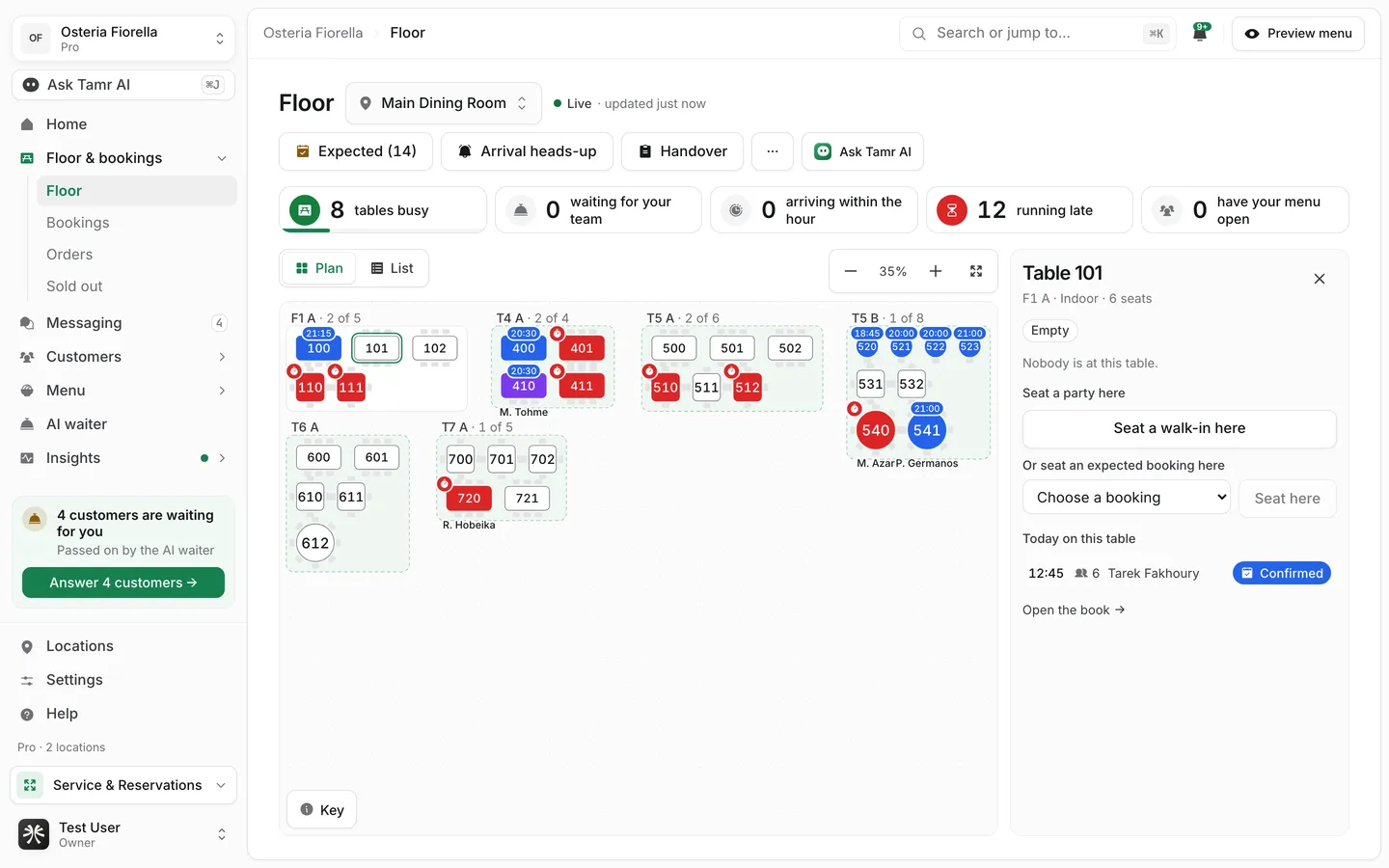
At the tablesectionSeat a party heresectionFinish / Clear tableactionToday on this tablesectionSeat a walk-in
- 1Open the table
Tap the free table and press Seat a walk-in here. You can also press Walk-in on the Bookings page.
- 2Set the party size
Choose how many people. tamr suggests the Best table, or Best fit: joined tables for a large party.
- 3Seat them
Confirm. The table turns Seated straight away.
The walk-in dialog has a field for Tamr AI. Type "seat 4 at table 12" and it fills the form for you.
Seat an expected booking
Open Expected to see who is due. Each booking has Seat (seat them, then tap their table) and, once they are late, No-show. Seating a booking never happens on its own: someone on the team always confirms it.
See the room at another time
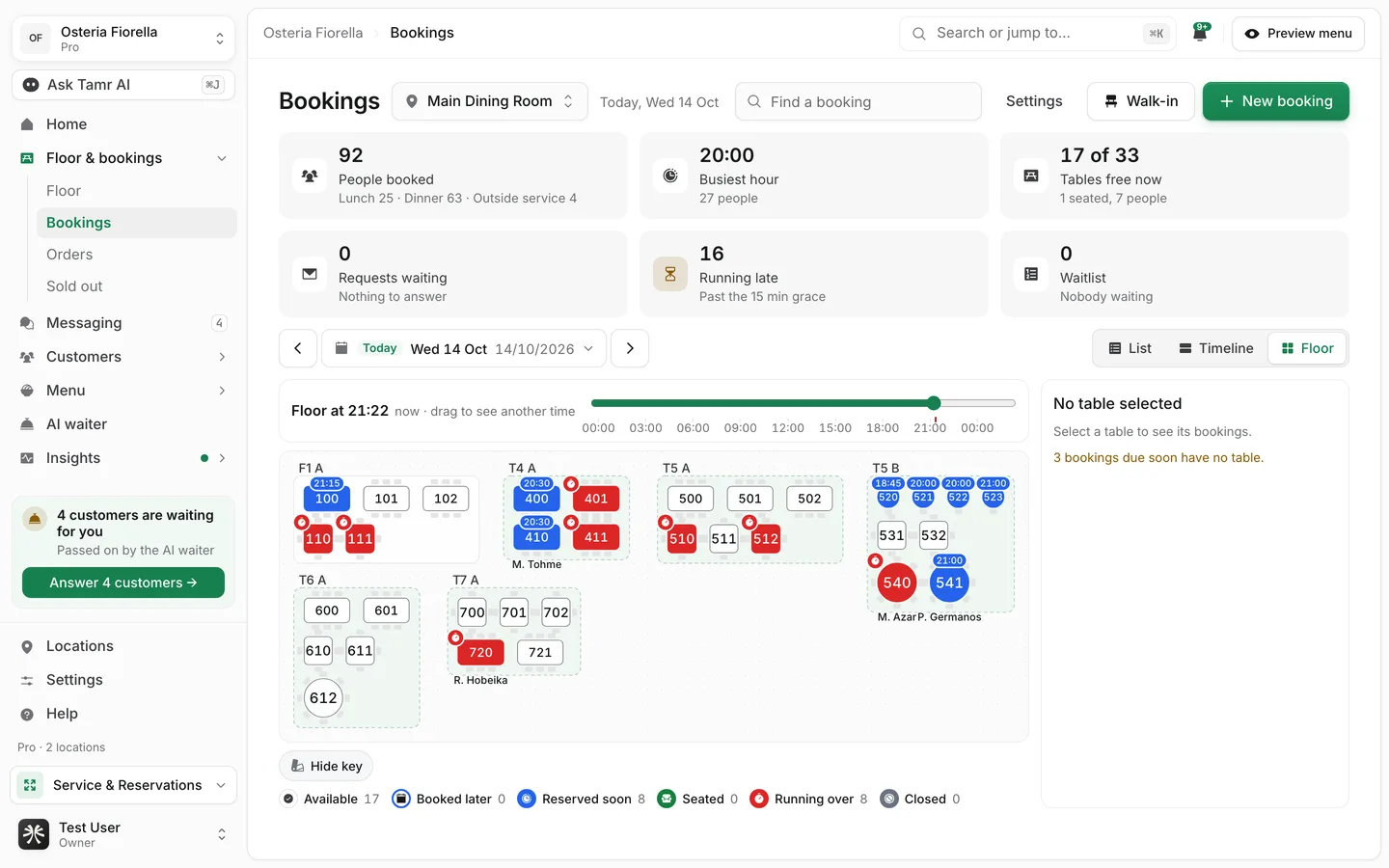
The Floor view of Bookings shows the plan at any moment of the day. Drag the slider under Floor at 21:22 to see who is booked on each table at that time, and press Back to now to return. "Now" shows who is actually seated; any other time shows the book as it stands.
Arrival heads-up and Handover
Arrival heads-uptoolbarHandovertoolbarFAQ
Why is a table taken when nobody is there?
A phone opened the menu from that table's code in the last 30 minutes. Open the table and press Clear table, or wait: it frees itself.
Why does a customer show with no table?
They opened the menu from a link, not from a table's code. Use Put on a table to place them.
Can staff change the floor?
Seating and clearing need the floor permission (and bookings for booked parties). A role without it sees the floor read-only, with a line that says so.
Related
Last reviewed October 14, 2026