
Mark dishes sold out
One tap takes a dish off until tomorrow morning. The AI waiter stops offering it straight away.
When the kitchen runs out of something, mark it sold out. Customers see it as sold out on the menu, and the AI waiter stops recommending it. Open Floor & bookings → Sold out, or Sold out in the Service dock.
Sold out works on Free and on Pro.
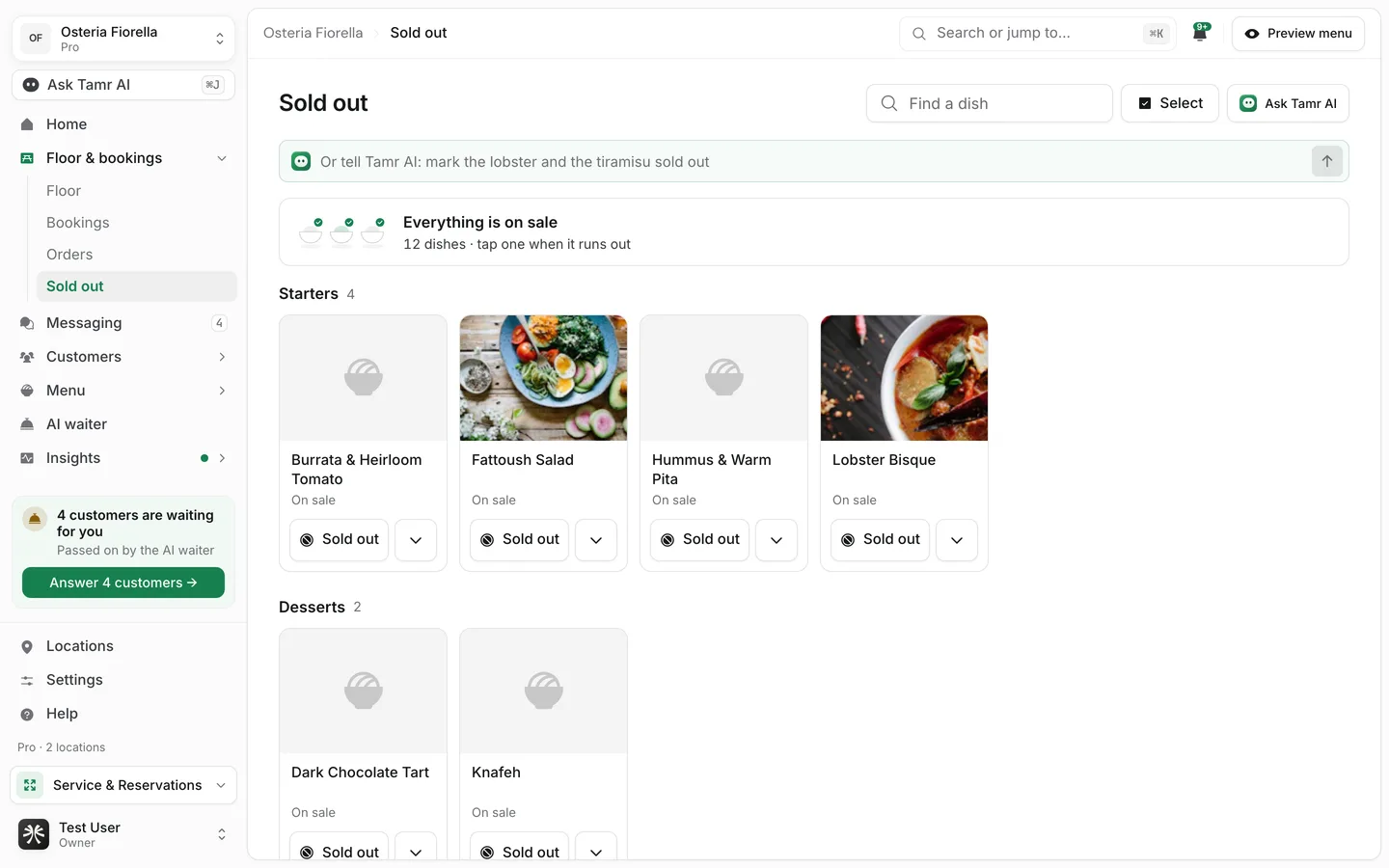
Mark a dish sold out
- 1Find the dish
Scroll the categories or type in Find a dish.
- 2Tap Sold out
The dish comes back on its own at 05:00 the next morning, so nobody has to remember to undo it before the next service.
To choose a different end, press the arrow beside Sold out (Choose until when):
TodayuntilUntil I turn it back onuntilUntiluntil · timeEach dish then says when it returns: Back at 18:30, Back tomorrow, or Until you turn it back on.
Press Select, tick the dishes, then Sold out today or Back on. Or tell Tamr AI: "mark the lobster and the tiramisu sold out".
Bring a dish back
Everything that is off sits in Off right now at the top of the page. Press Back on beside a dish, or All back on when more than one is off. When nothing is off, the strip reads Everything is on sale.
Who can do it
Sold out needs the floor-service permission, not menu editing, so floor staff can take a dish off without being able to change the rest of the menu. A role without it sees the list with "Your role cannot change this list".
FAQ
Does Sold out change my menu?
No. It only marks the dish unavailable for a while. Its name, price and photo stay as they are.
A dish is on two menus. Do I mark it twice?
Yes. Each live menu has its own copy of the dish, and each is switched on its own, so it can show twice on this page.
Can the kitchen mark a dish on an order instead?
Yes. On the Orders board, mark that line Not available and the customer is told. See Handle table orders.
Related
Last reviewed October 14, 2026