
See what's new in tamr
Help → What's new, the big releases and Also new, the New marks, the page spotlights, and the welcome film with how to replay it.
tamr tells you about new features in three places: the What's new list under Help, a spotlight on the page where something new lives, and a short welcome film for people who used tamr before the October 2026 redesign.
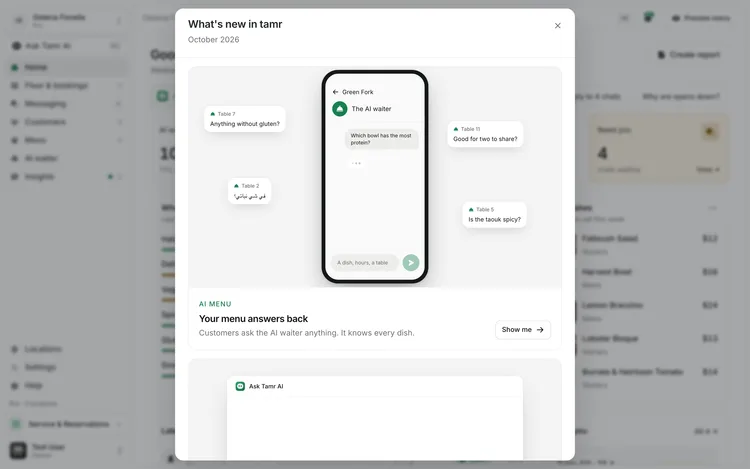
Open the What's new list
- 1Open Help
Select Help near the foot of the sidebar. A New mark beside What's new means there is something you have not seen.
- 2Select What's new
What's new in tamr opens with the month of the release.
- 3Go to a feature
Each item links to where it lives. Show me on a release, or selecting an item, closes the list and takes you there.
What the list holds
The biggest releases lead, each with a short animation of the real product that plays as it scrolls into view.
AI menuYour menu answers backAsk Tamr AIAsk, and it's doneService & bookingsThe floor, liveCampaignsPick a goalLinks pageOne link for everythingSmaller changes follow under Also new, one line each, with a New mark until you have seen them: tables in colour on the floor, the customer quick look, Kickoff, saved Ask Tamr AI chats, Connections in Settings, and the Messaging views (All, Need you and Live now).
Follow the spotlights
The first time you open a page with something new on it, tamr dims the page and rings the new thing. A small card under it gives its name and one line, such as Tables in colour on the Floor page.
- With several new things on one page, the card counts them (1 of 2). Next moves to the next one.
- Got it closes the spotlight. You can also press Esc.
- Each spotlight shows once per person. What you have seen is remembered on your account, so it does not come back on another device.
- A spotlight only appears when the thing it points at is on screen. It never scrolls the page for you.
The welcome film
People who used tamr before the October 2026 redesign see a short full-screen film the next time they open the dashboard: from the AI menu they know to everything tamr now runs, with Ask Tamr AI, the live floor, campaigns and Insights. It does not open on set-up screens.
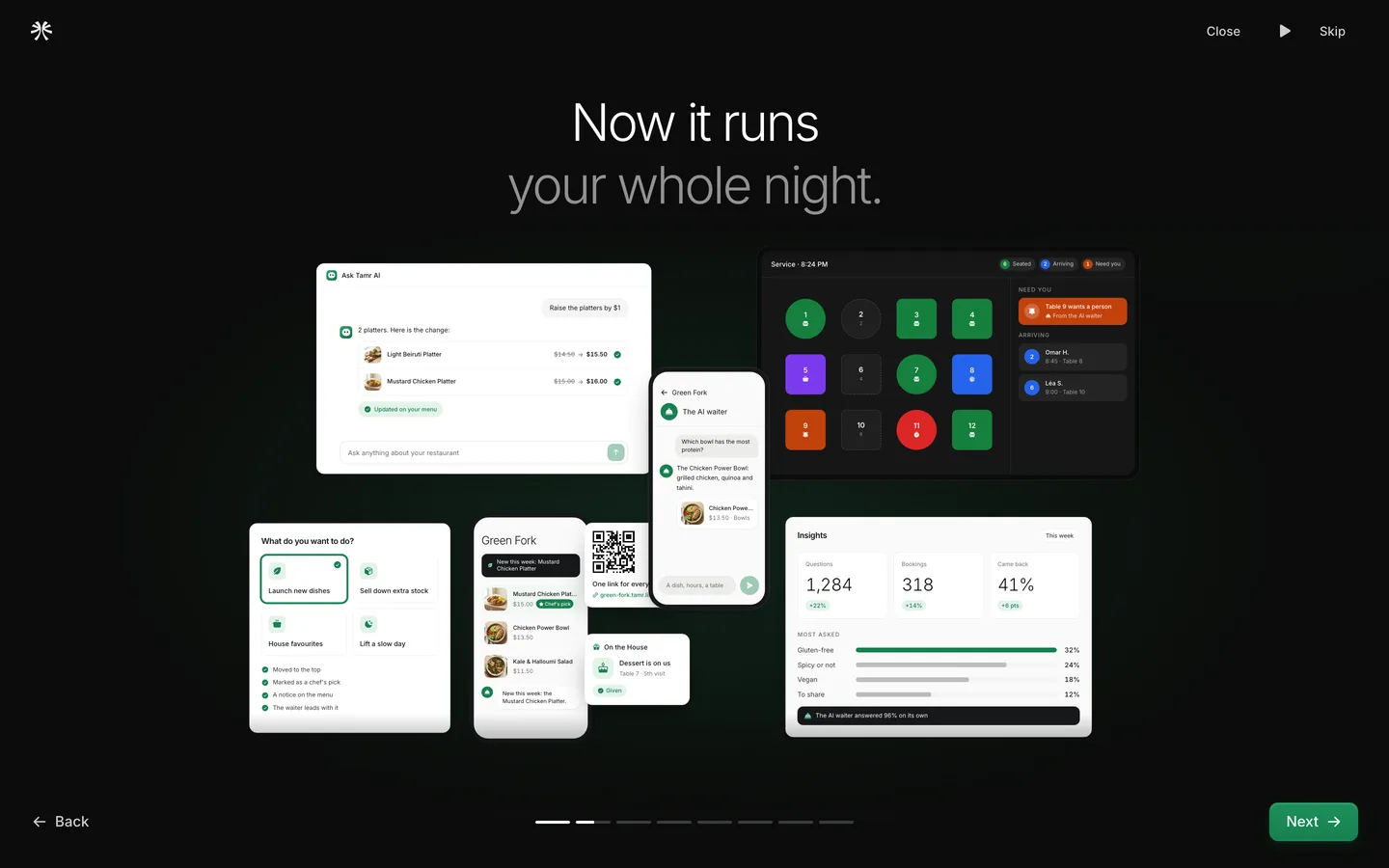
Progress barsbottomPause / Playtop rightBack / NextbottomSkiptop rightThe last step asks for Your WhatsApp number, so the tamr team can help you fast on WhatsApp. Only tamr support sees it. Tick Message me on WhatsApp about support if you want them to, and select Finish. The first time, the number is needed to close the film; Remind me tomorrow puts it off, twice at most.
Replay the welcome film
- 1From Help
Open Help and select Take the tour.
- 2Or from a link
Add
?welcome=1to any dashboard address, for example/app/your-restaurant?welcome=1.
A replay is only the film: Close or Esc ends it at any point.
FAQ
I dismissed a spotlight by accident. Can I see it again?
Spotlights show once. Everything they point at is also in Help → What's new, with a link to the page.
I'm new to tamr. Why didn't I see the film?
The film is for people who used tamr before the redesign. New restaurants start with the sign-up wizard and Kickoff instead. You can still watch it from Help → Take the tour.
Do my staff see the film too?
Each person who used tamr before the redesign sees it once, on their own account.
Related
Last reviewed October 14, 2026